Quick Start
What steps are required to use the system in production?
🔑 Login with Default Admin Credentials
Username: Admin
Password: admin123
➕ Creating Users
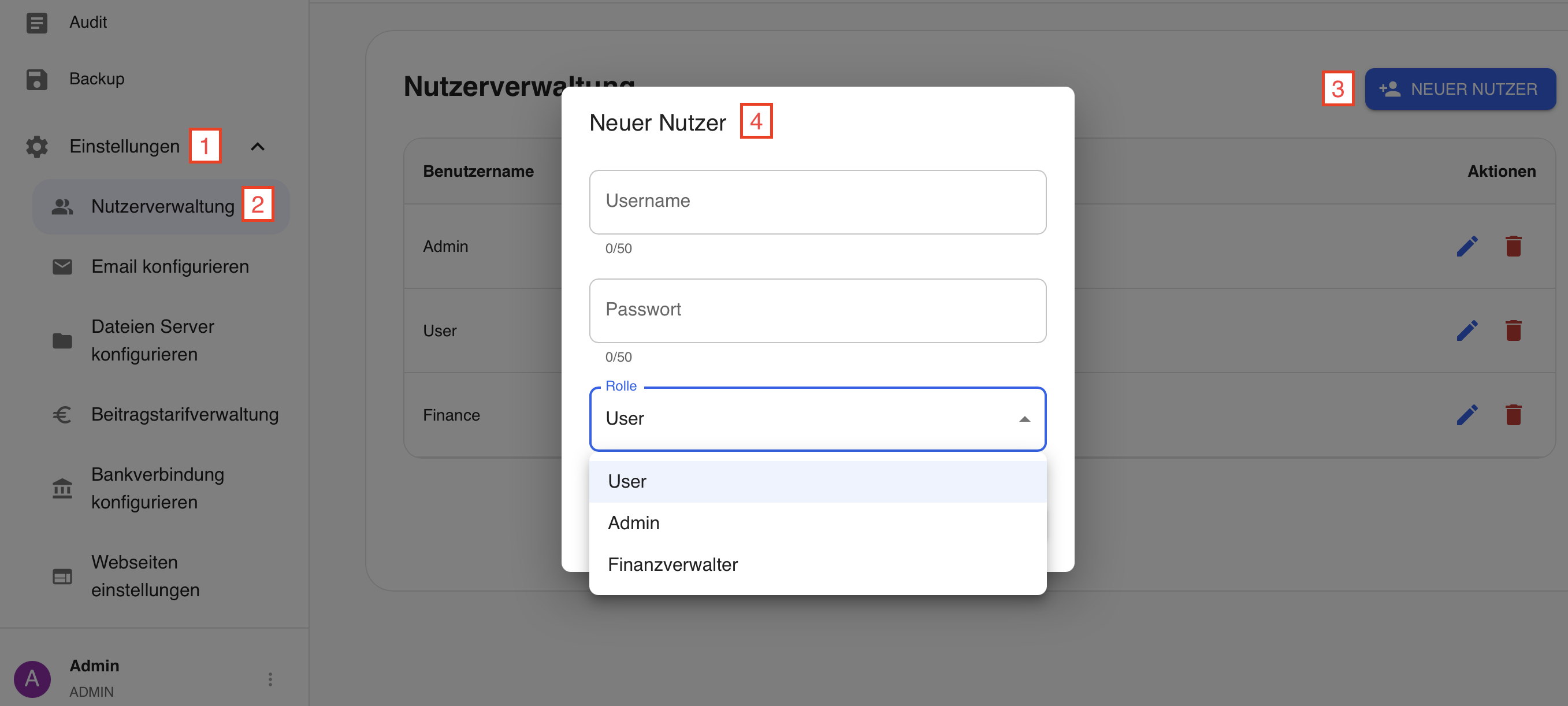
Settings → User Management → New User
Username: Can be chosen freely
Password: At least 11 characters
User Role Permissions:
| Feature | User | Finance Manager | Admin |
|---|---|---|---|
| Member management (create, edit, delete) | ✅ | ✅ | ✅ |
| Restore deleted members | ❌ | ❌ | ✅ |
| Bulk mail | ✅ | ✅ | ✅ |
| SEPA export | ❌ | ✅ | ✅ |
| View contribution payments | ✅ | ✅ | ✅ |
| Edit contribution payments | ❌ | ✅ | ✅ |
| Files | ✅ | ✅ | ✅ |
| View audit logs | ❌ | ❌ | ✅ |
| Create and restore backups | ❌ | ❌ | ✅ |
| Settings | ❌ | ❌ | ✅ |
Create the required users for production use (the Admin account should not be used in production!).
❗️IMPORTANT: The Admin must be renamed & the Admin password must be changed. ❗
→ In the end, there should be at least 1x Admin, 1x Finance Manager and 1x User
⚙️ Configuration of Remaining Settings
E-Mails
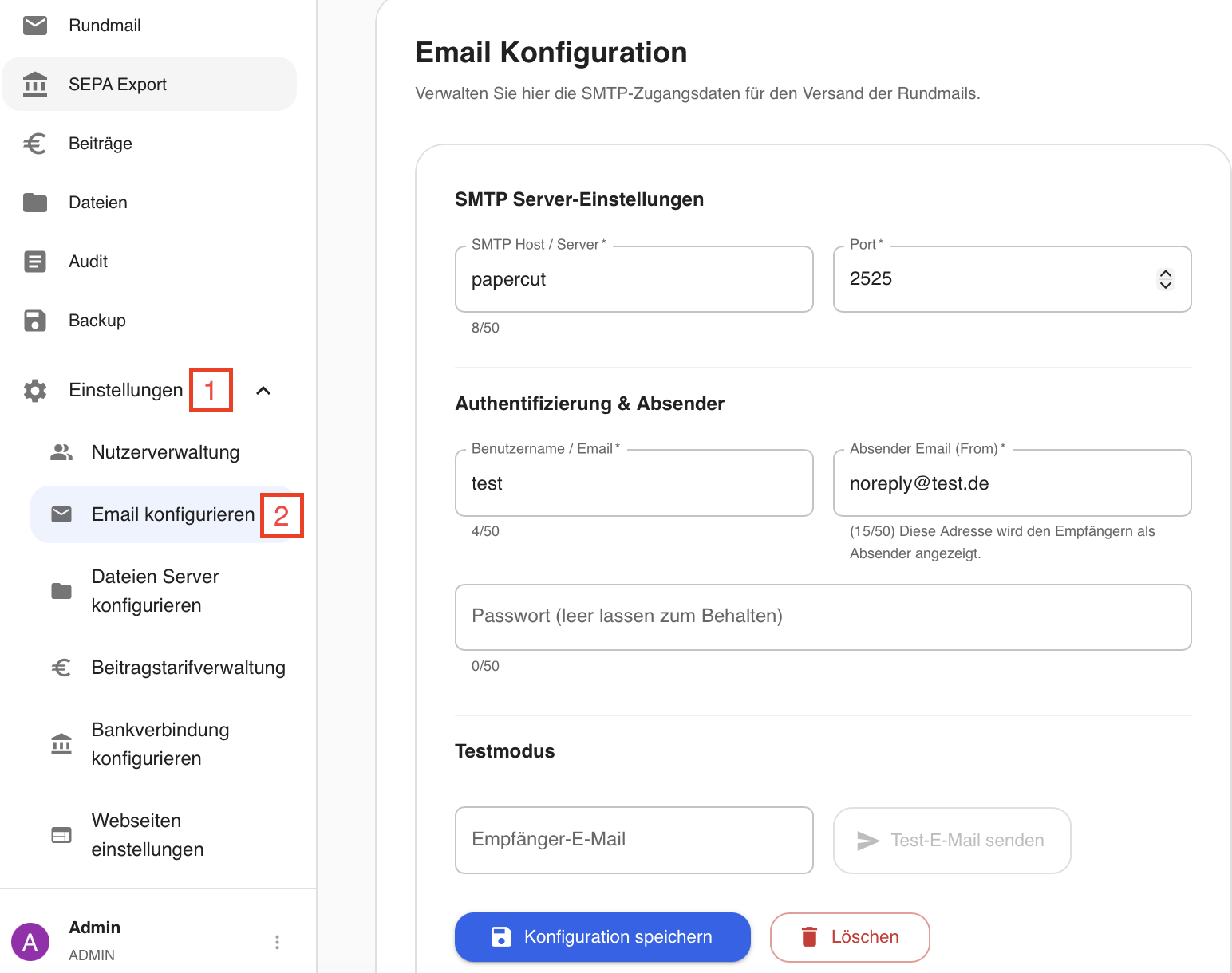
Settings → Configure E-Mail
This information is required if the "Bulk Mail" feature is to be used.
The SMTP host, server, username and password must be obtained from your mail provider.
The sender e-mail can be chosen freely and will be displayed to recipients as the sender.
Test mode: A mail is sent to the desired recipient to test whether the settings configured above are correct.
Configure File Server
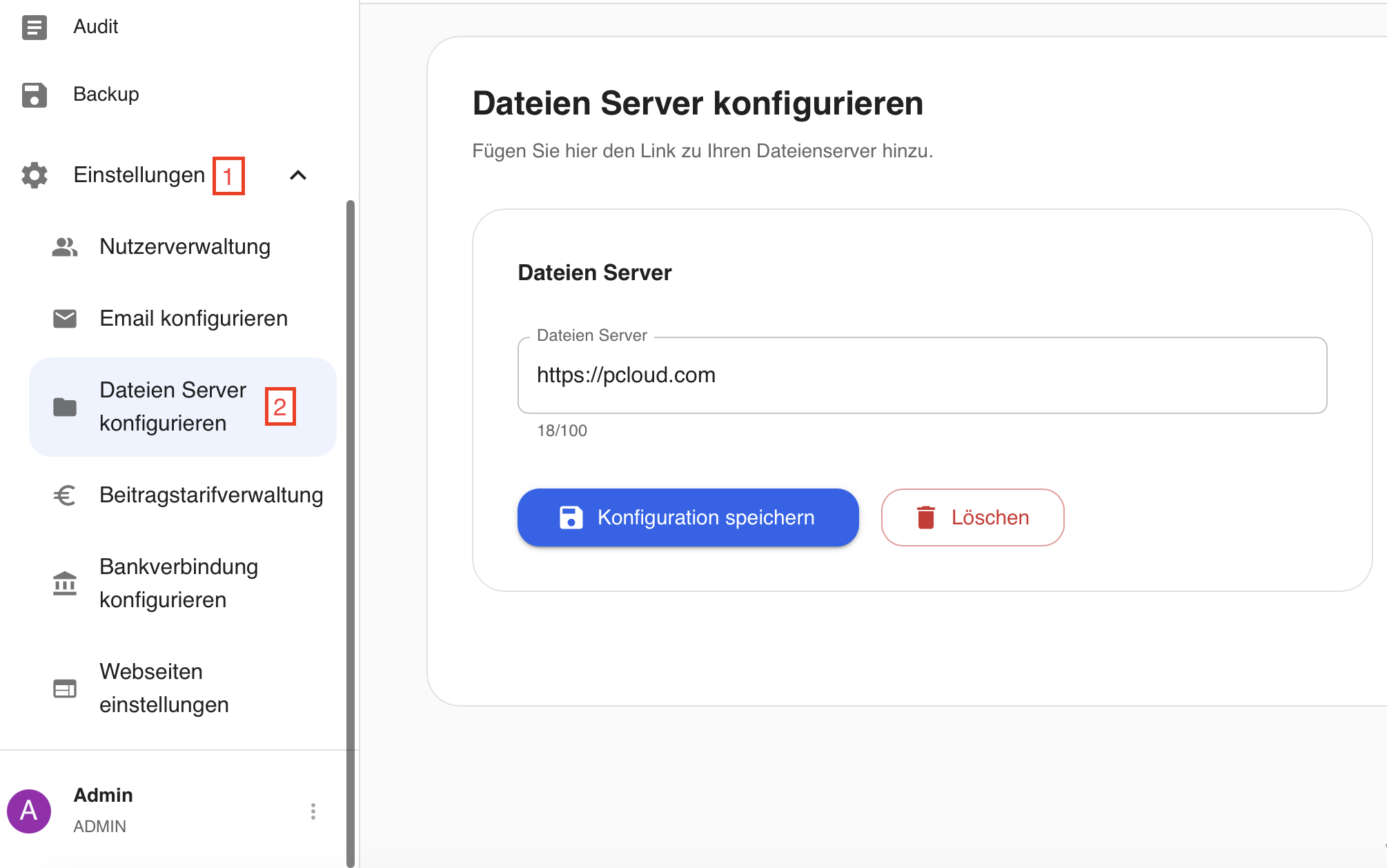
Settings → Configure File Server
A link can be inserted here that opens an external page. There are no restrictions, except that the link must not be longer than 100 characters.
Configure Contribution Tariff Management
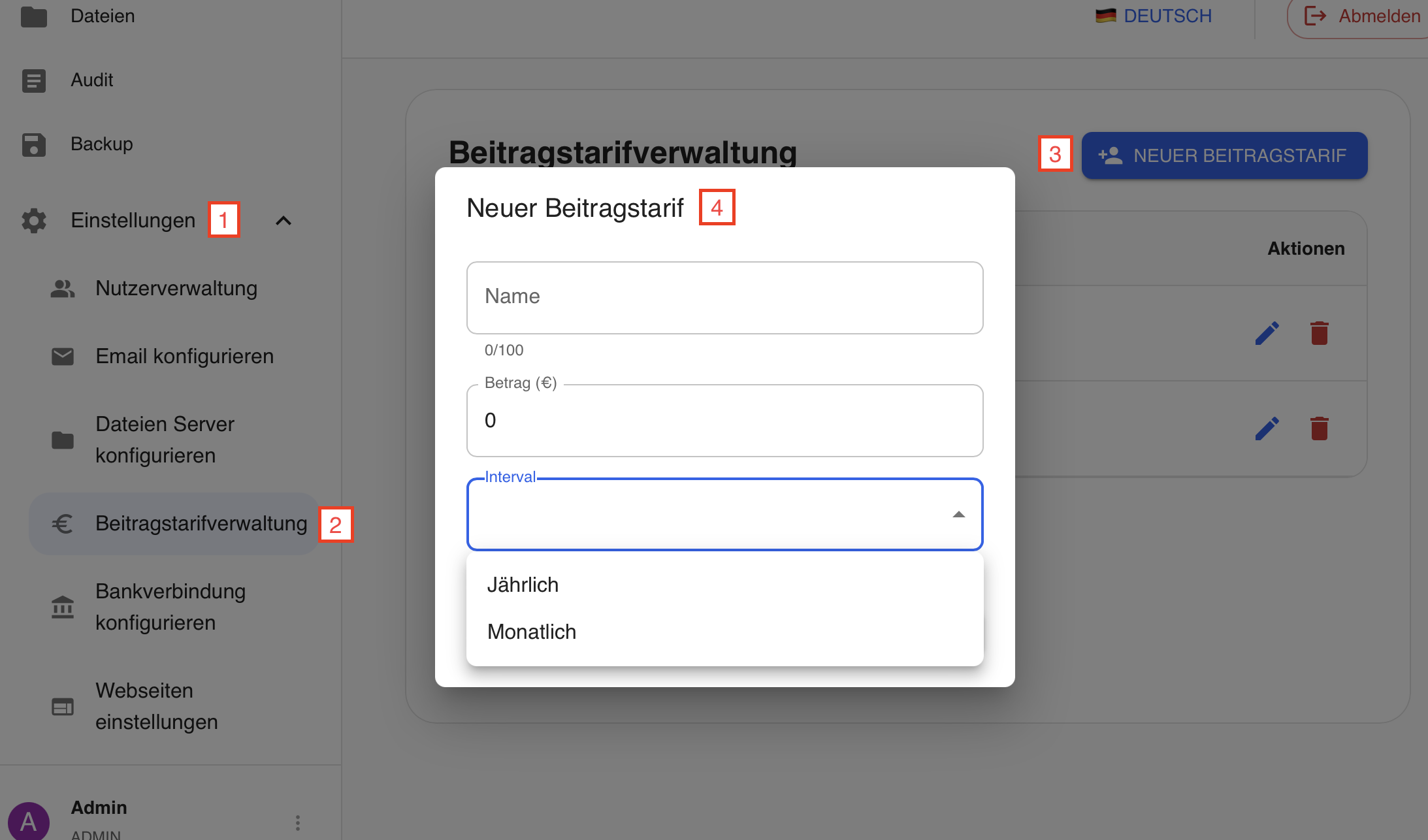
Settings → Contribution Tariff Management
The tariffs can be named freely and can therefore represent both regular membership fees and increased fees for supporting members.
Intervals:
Monthly: Creates an entry under "Contributions" and in the SEPA export on the 1st of each month.
Annually: Creates an entry under "Contributions" and in the SEPA export on January 1st of the year.
Configure Bank Account
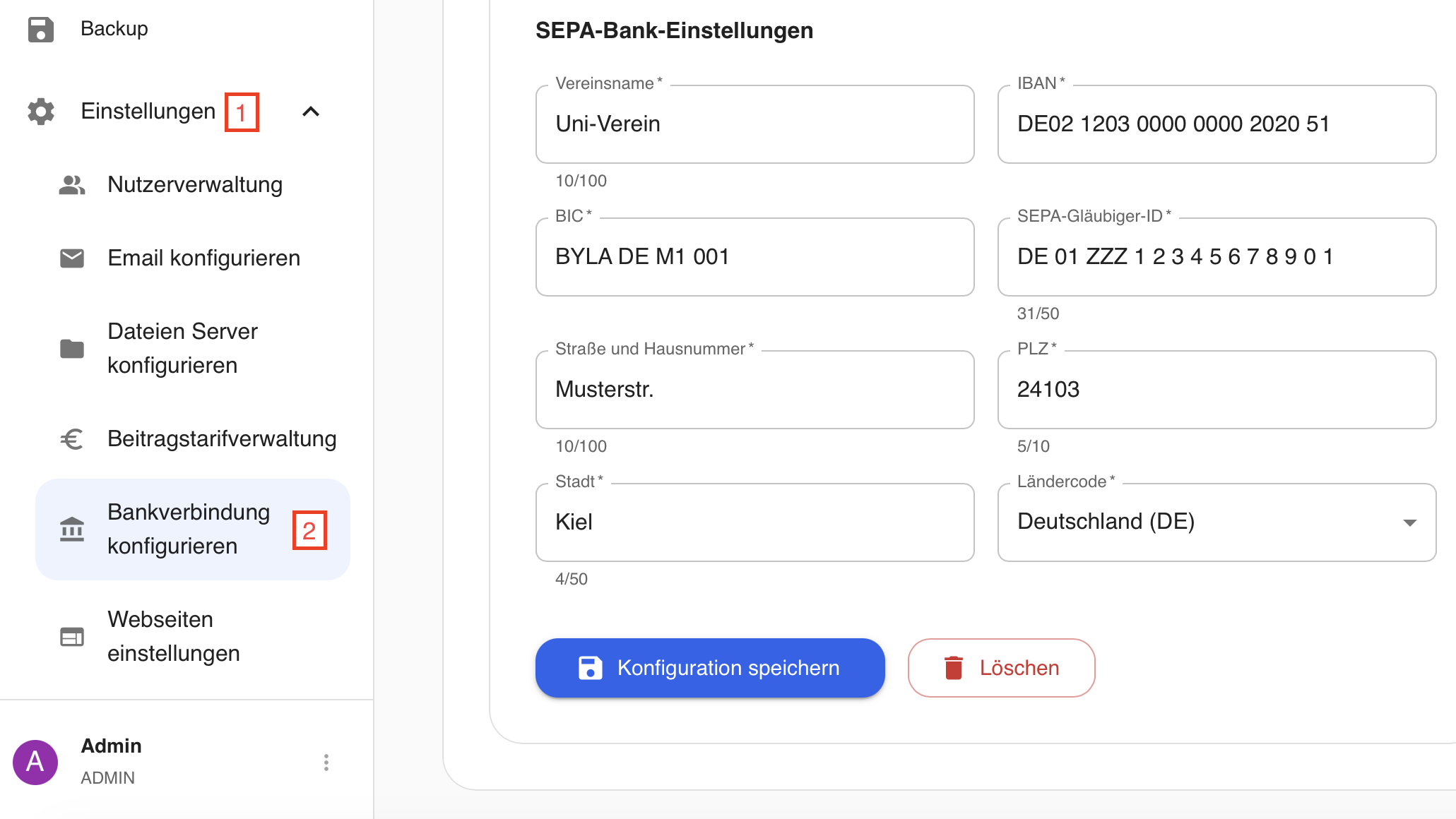
Settings → Configure Bank Account
The bank account details are required in order to generate a valid SEPA export.
If this feature is not used, it can simply be left empty.
Website Settings
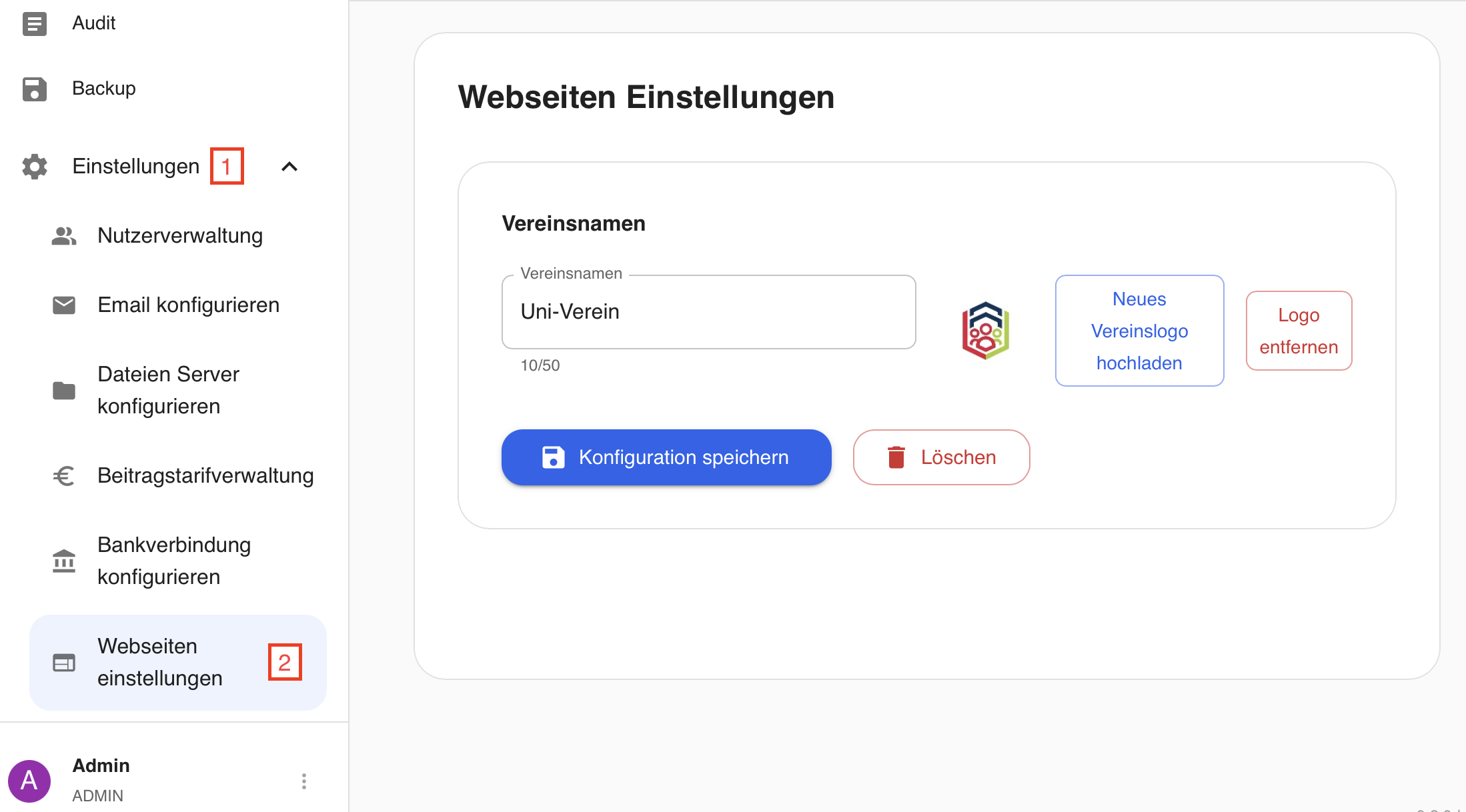
Settings → Website Settings
This page allows for personalization.
The club name and, if applicable, the club logo can be changed here.
The logo must be uploaded as a .png or .jpg file; the size will be reduced to 100x100px.
👥 Adding Members
• Import existing data as a .csv file
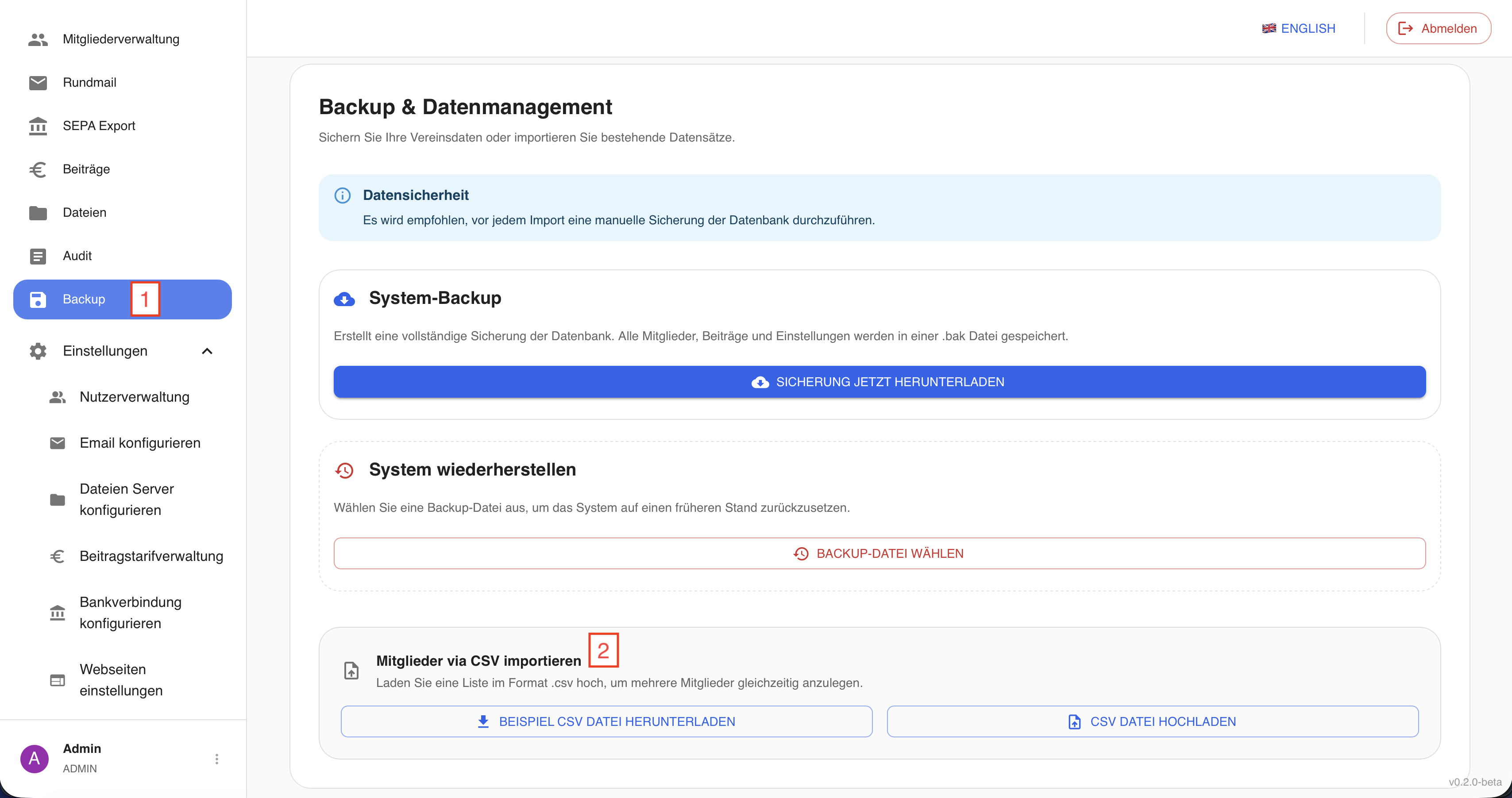
Backup → Import Members via CSV
An existing member list can be imported. A sample CSV file can be downloaded to illustrate the required format. The table must contain the following columns, separated by a semicolon (.csv file):
| Column | Description | Required | Specified Format / General Requirements |
|---|---|---|---|
| member-number | Member number | Yes | Must not be negative |
| gender | Gender | Yes | Allowed: MALE, FEMALE, DIVERS |
| Name | Last name | Yes | |
| first name | First name | Yes | |
| middle name | Middle name | No | |
| birthday | Date of birth | Yes | Format: dd.mm.yyyy ; must be in the past |
| phone-number | Phone number | No | |
| bulk mail | Bulk mail | Yes | Allowed: ALLOWED, NOT_ALLOWED (indicates whether the member wants to receive emails) |
| Yes | Format: standard email format (xx@xx.xx) | ||
| street and number | Street and house number | Yes | |
| ZIP-code | ZIP code | Yes | Must be a five-digit number |
| city | City | Yes | |
| study-start | Start of studies | Yes | Format: dd.mm.yyyy |
| study-end | End of studies | No | Format: dd.mm.yyyy ; must not be before study start |
| academic degree | Academic degree | No | Allowed: b.sc. m.sc. phd |
| course of study | Field of study | No | |
| Task within the club | Role within the club | No | Allowed: MEMBER, CHAIRMAN, SECOND_CHAIRMAN, JUNIOR_BOARD_MEMBER, CHIEF_FINANCE_OFFICER, WEBSITE_MANAGER, ALUMNI_OFFICER, STUDENT_COUNCIL_REPRESENTATIVE |
| university status | University status | No | Allowed: STUDENT, ALUMNIS, OTHERS |
| entry-date | Entry date | Yes | Format: dd.mm.yyyy |
| exit-date | Exit date | No | Format: dd.mm.yyyy ; must not be before entry date |
| IBAN | IBAN | No | Format: standard IBAN format |
| BIC | BIC | No | Format: standard BIC format |
| sepa-consent | SEPA consent | No | Format: dd.mm.yyyy |
| contribution-amount | Contribution tariff | No | Number must not be negative |
• Manually adding new members
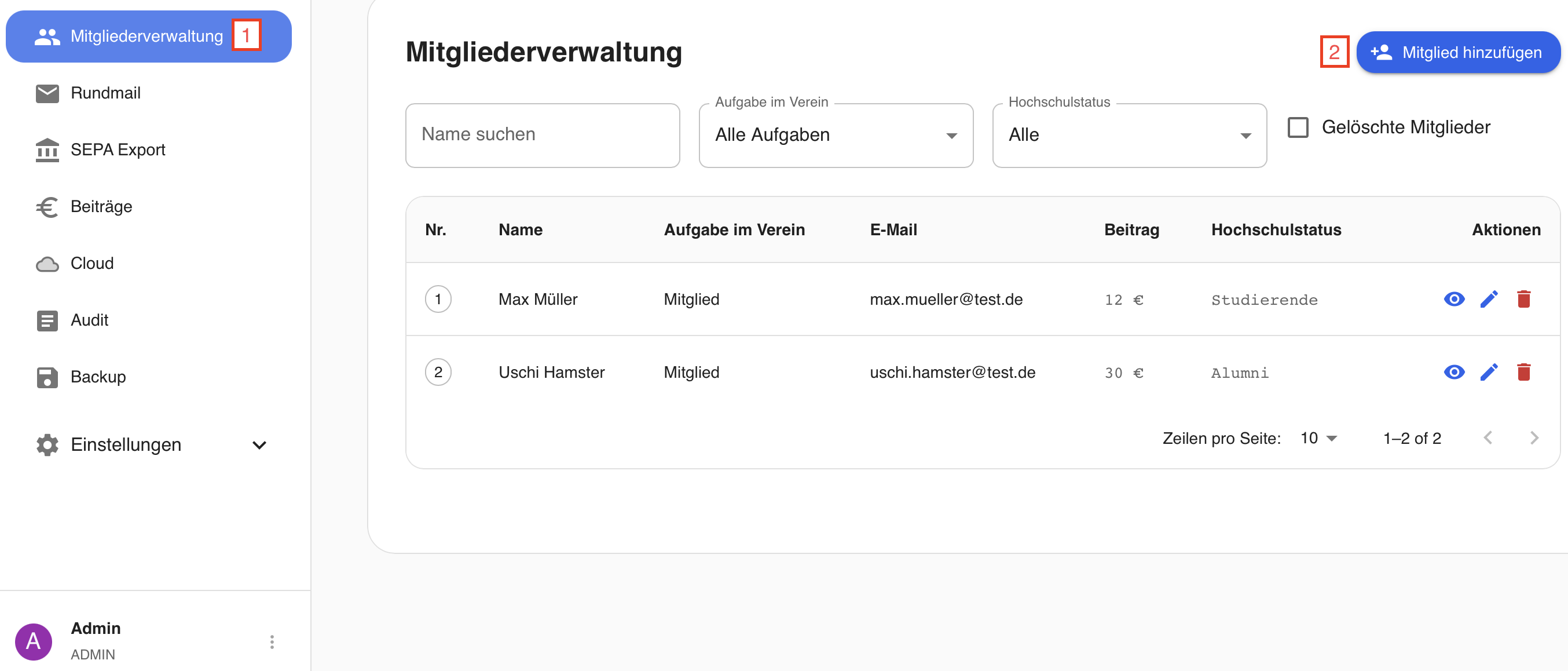
Member Management → Add Member
Members can also be added manually. Required fields are marked with an * and the format requirements are identical to those for the import.