📱 Download the App
Uni-Verein is now also available as an app!
🖥️ MacOS or Windows
👇 Select the browser you use
With Google Chrome (or Microsoft Edge & Firefox) (similar)
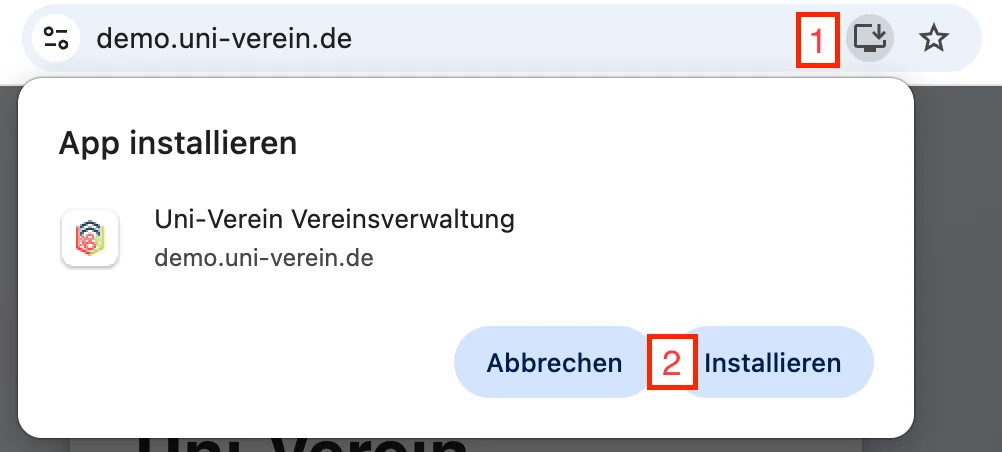
- Open your program's login page
- Click "Install app" next to the link
💡 Firefox only supports installation on Windows!
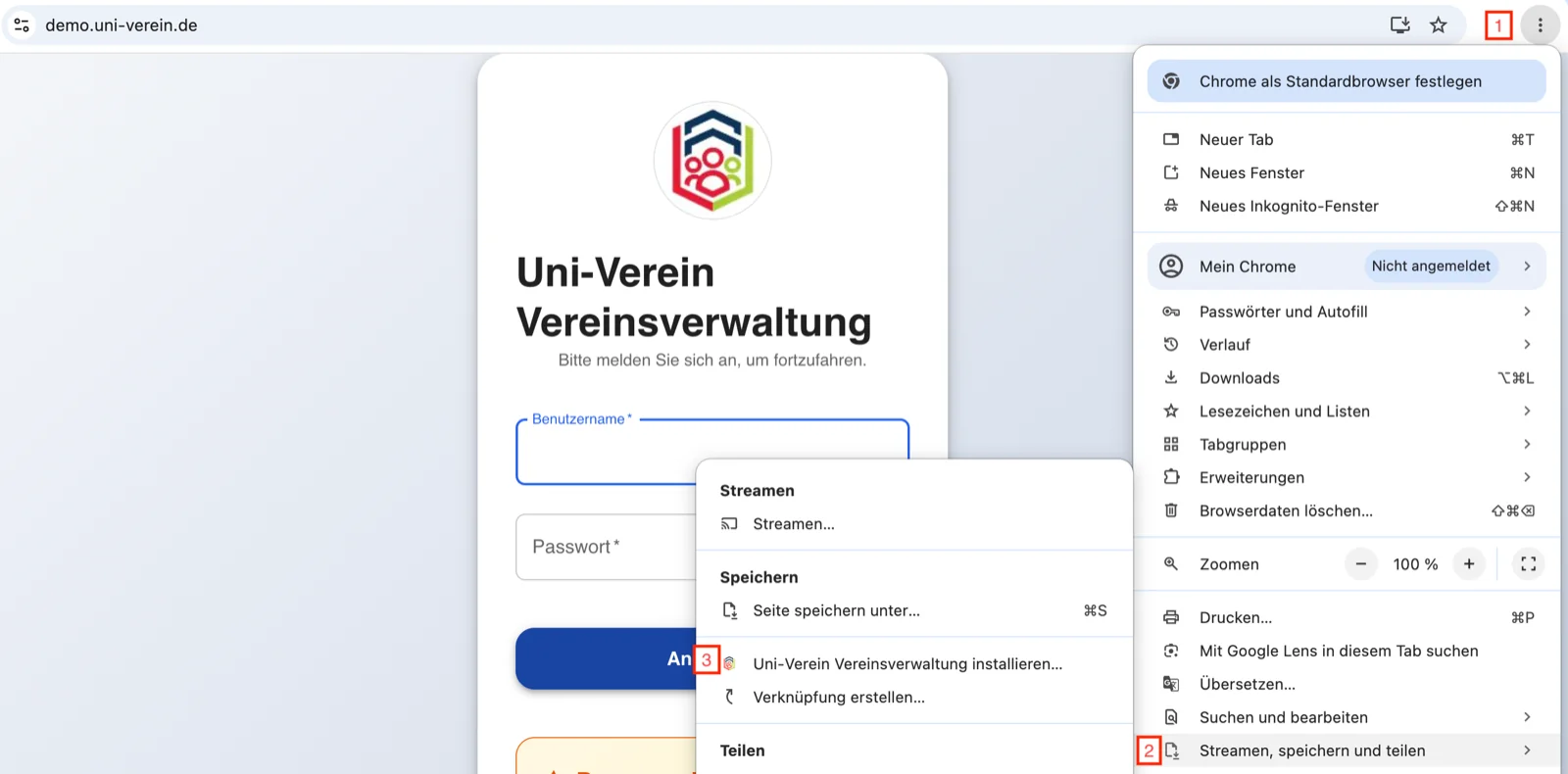
Icon not showing?
- ⋮ (top right corner)
- "Cast, save, and share"
- "Install Uni-Verein Club Management"
With Safari
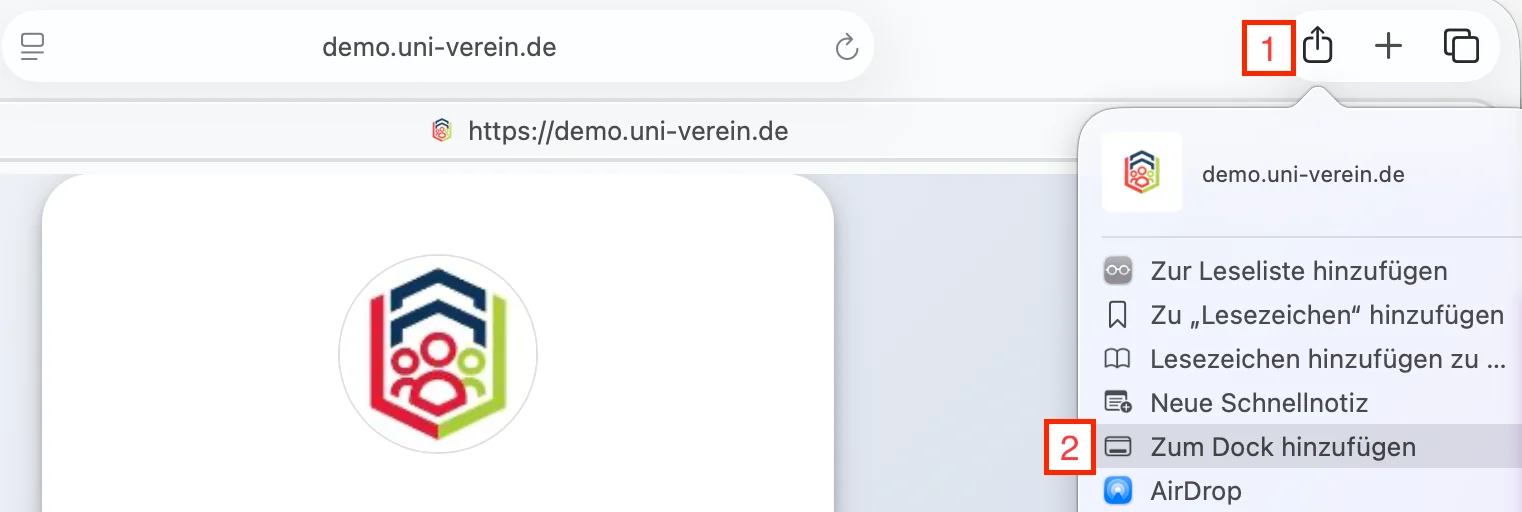
- Open your program's login page
- Select the "Share" icon
- "Add to Dock" and confirm
💡 Although Safari uses the same installation process as for shortcuts, you are actually installing the same app as with other browsers.
📱 On iPhone or Android
👇 Select your operating system
On iPhone
⚠️ The app is not available in the App Store. It can only be installed via the browser.
With Safari or Chrome:
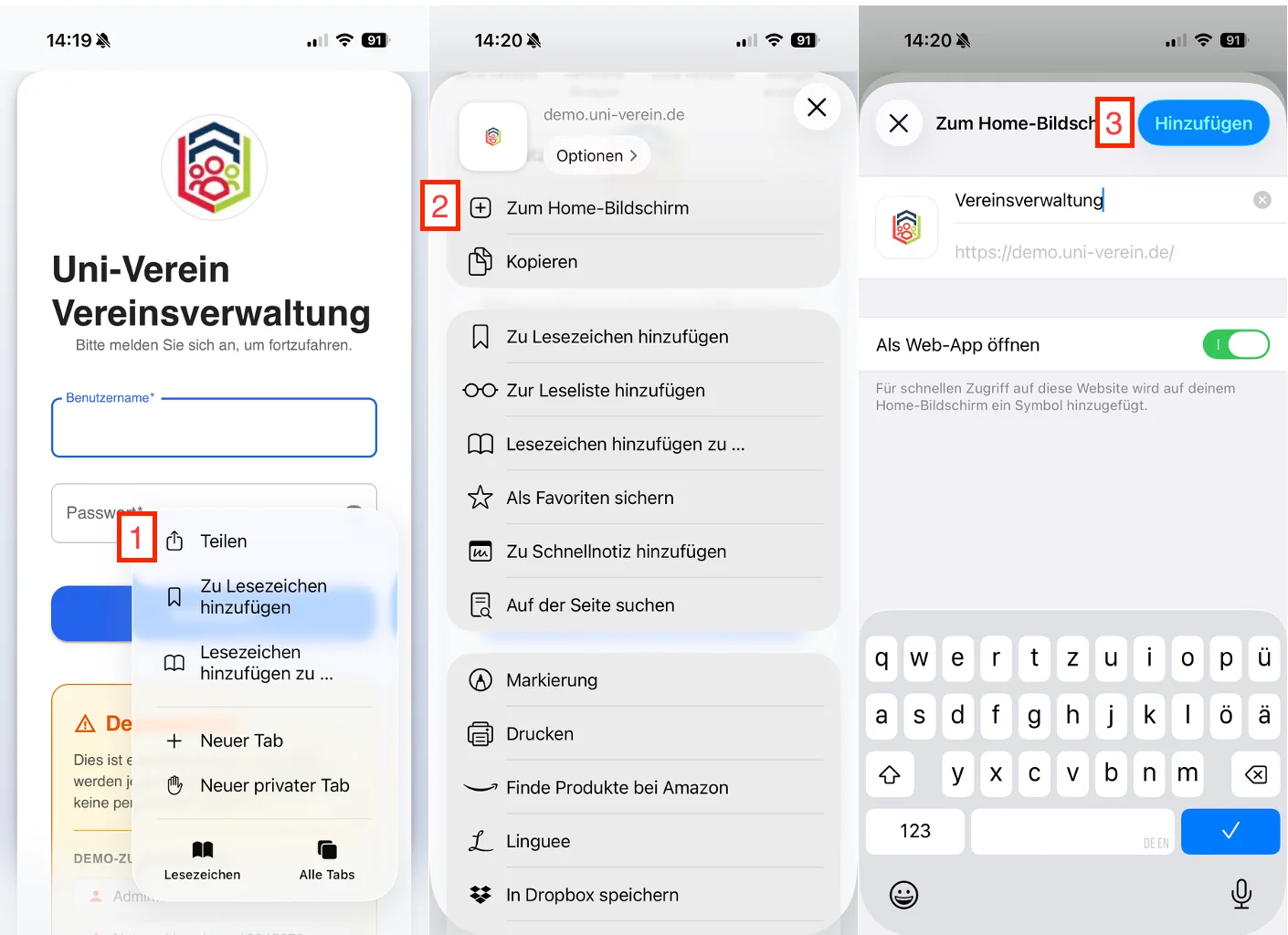
- Open your program's login page
- Select the "Share" icon
- "Add to Home Screen" and confirm
💡 Although iOS uses the same installation process as for shortcuts, you are actually installing the same app as on Android or other systems.
With Android
⚠️ The app is not available in the Play Store. It can only be installed via the browser.
With Google Chrome or Firefox
- ⋮ (top right corner)
- "Add app to Home screen"