📑 EÜR Export
✅ Prerequisites
To get a complete and correct EÜR, the following should be in place:
- Permission: The export is only available to Admins and Finance Managers. Regular users see neither the financial analysis nor the export button.
- A member with the task "Chief finance officer": In the member management there has to be a member whose "Task within the club" is set to "Chief finance officer". Their name is entered in the EÜR as treasurer (Kassenwart/in), in the "Stammdaten" sheet and on the signature line. Deleted members and members whose exit date has passed do not count. If there are several chief finance officers, the first one alphabetically is used. Without such a member the file is still created, but the treasurer fields stay empty.
- Tax areas: Every income and receipt category must be assigned to the right tax area.
- Club data: The club name and address from the bank details and the tax number stored there appear in the header of the file.
- Booked payments: Only income and fees booked as paid and paid receipts are included, each with its payment date.
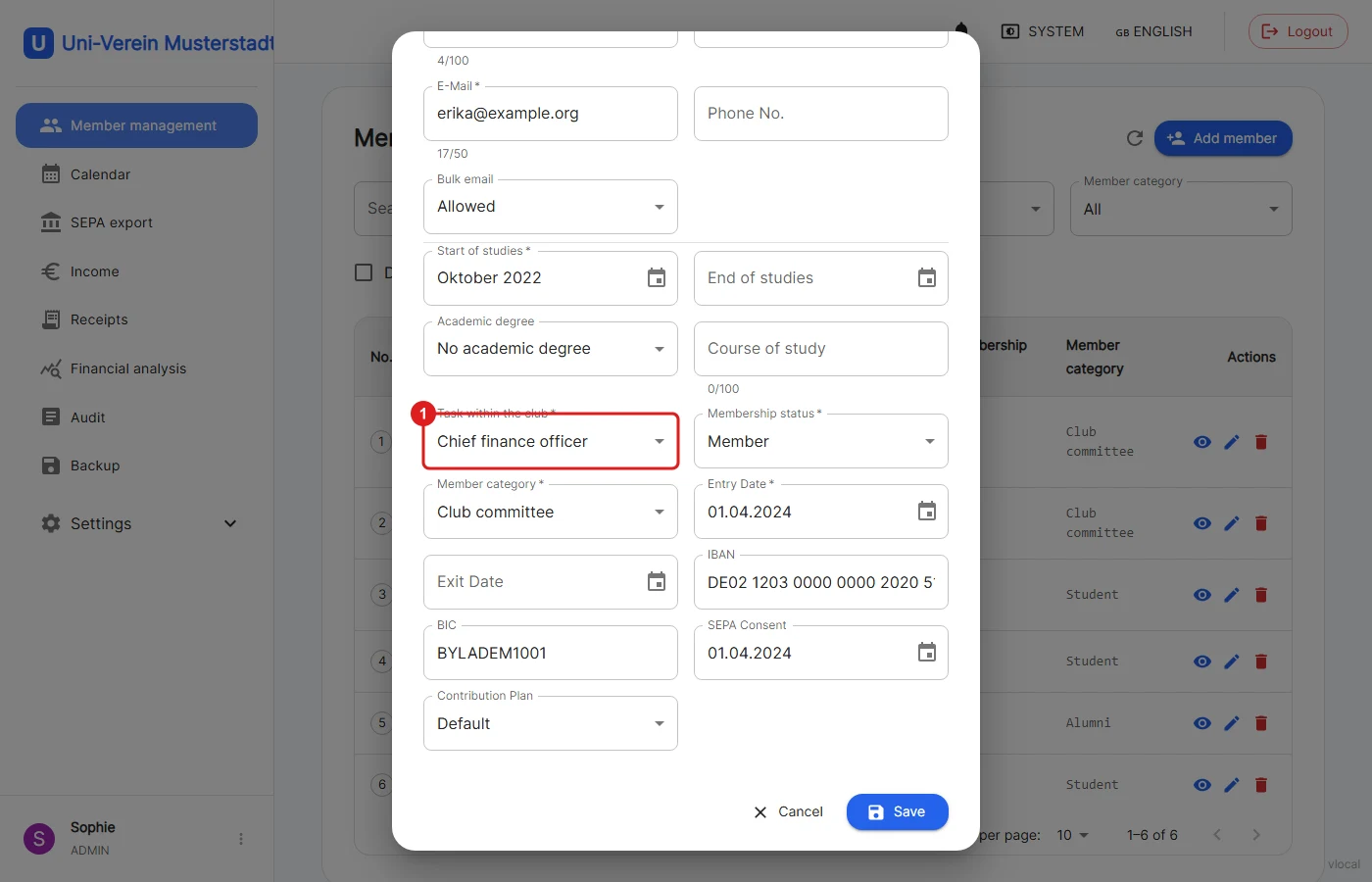
1: In the member's data (member management → pencil icon) the "Task within the club" is set to "Chief finance officer". For a CSV import the value is CHIEF_FINANCE_OFFICER.
📥 Exporting the EÜR
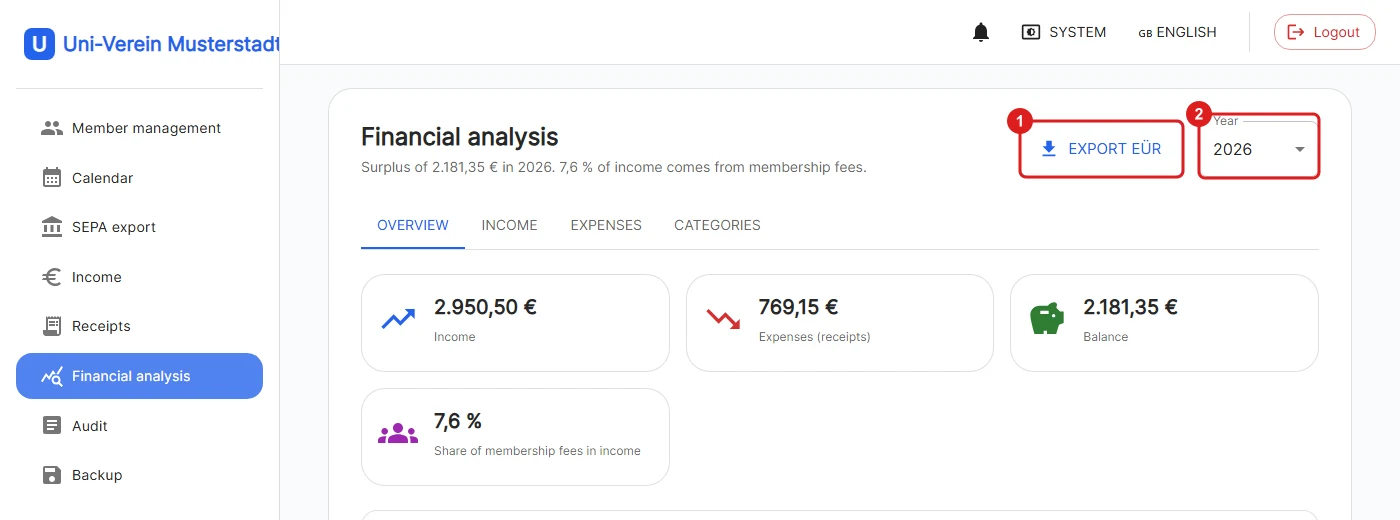
The export is on the financial analysis page.
1: The "Export EÜR" button downloads the EÜR of the selected year as an Excel file EUER_<year>.xlsx.
2: The year is chosen with the selection next to it. All years from 2020 onwards are possible.
🧭 Assign tax areas
A non-profit club separates its income and expenses into four areas. Every category therefore has a "Tax area":
| Area | Example |
|---|---|
| Non-profit sphere | Membership fees, donations, office supplies |
| Asset management | Interest, renting out club assets |
| Purpose-related operation | Events that serve the purpose of the statutes |
| Commercial operation | Sponsoring, selling drinks at festivals |
The areas are maintained in the categories, Admins and Finance Managers can change them. Membership fees always belong to the non-profit sphere.
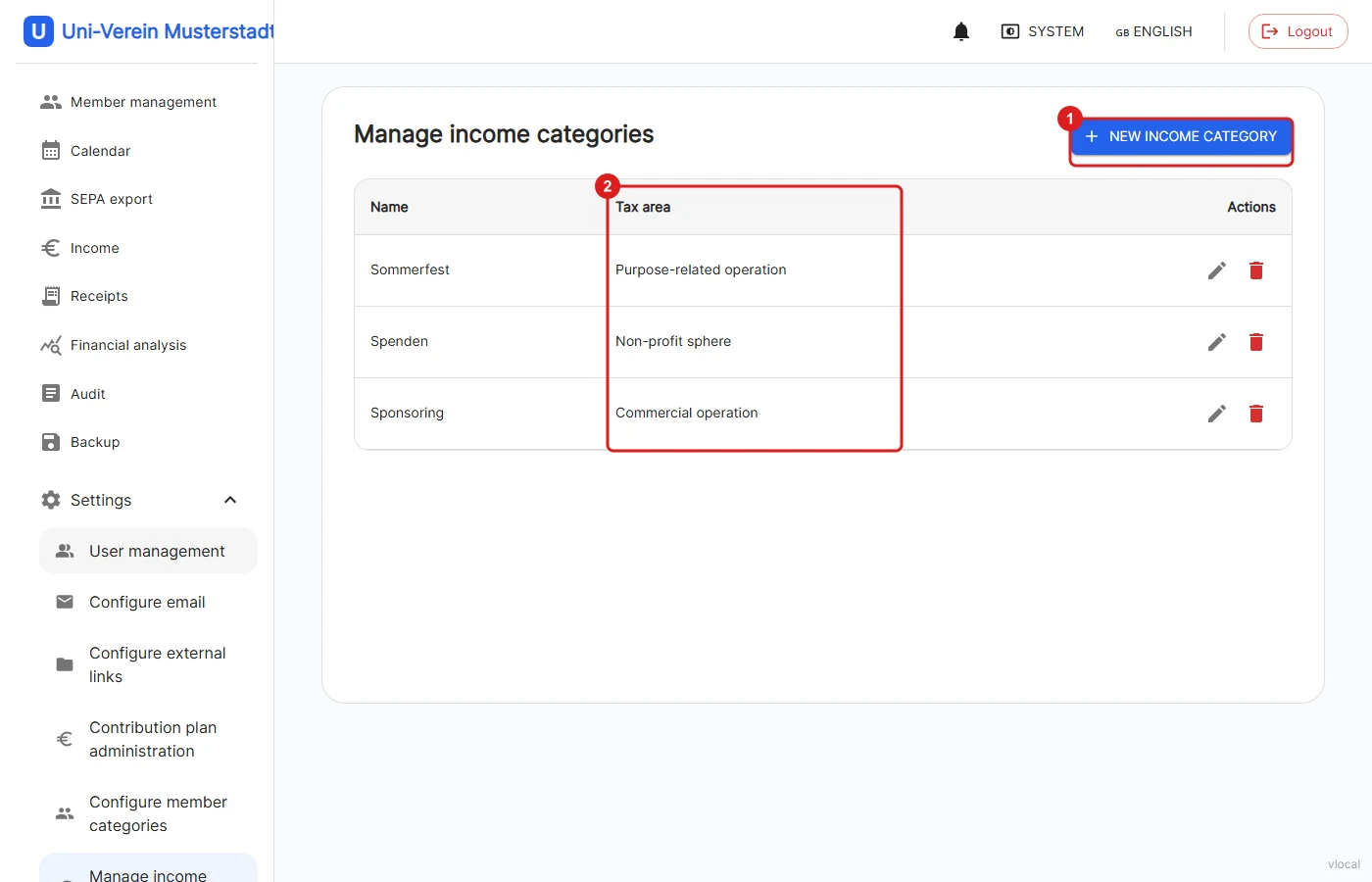
1: Settings → Manage income categories: A category is created with a name and a tax area.
2: The "Tax area" column shows the assignment. The pencil changes it at any time.
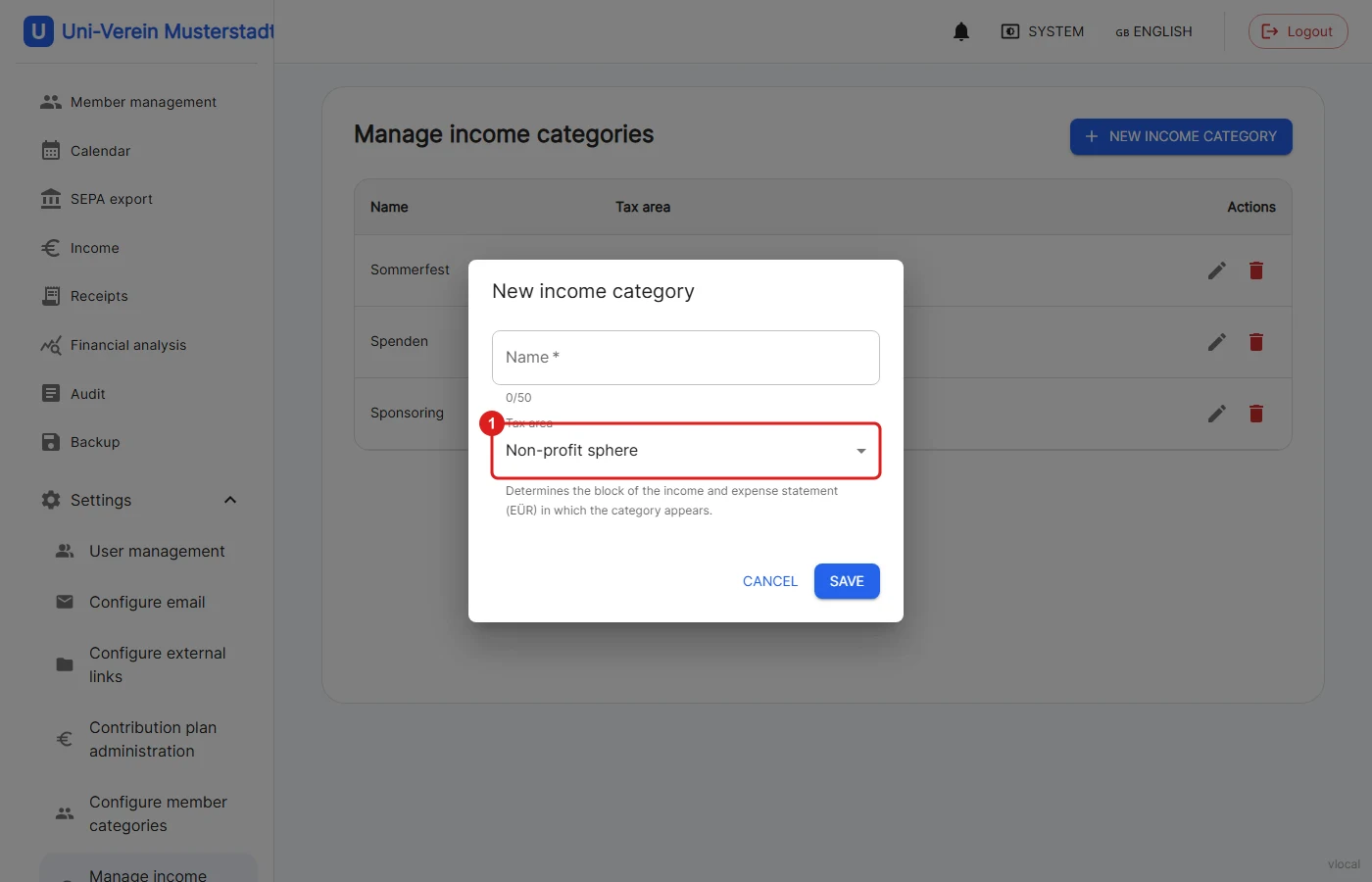
1: The area is selected in the dialog. It determines in which block of the EÜR the category appears.
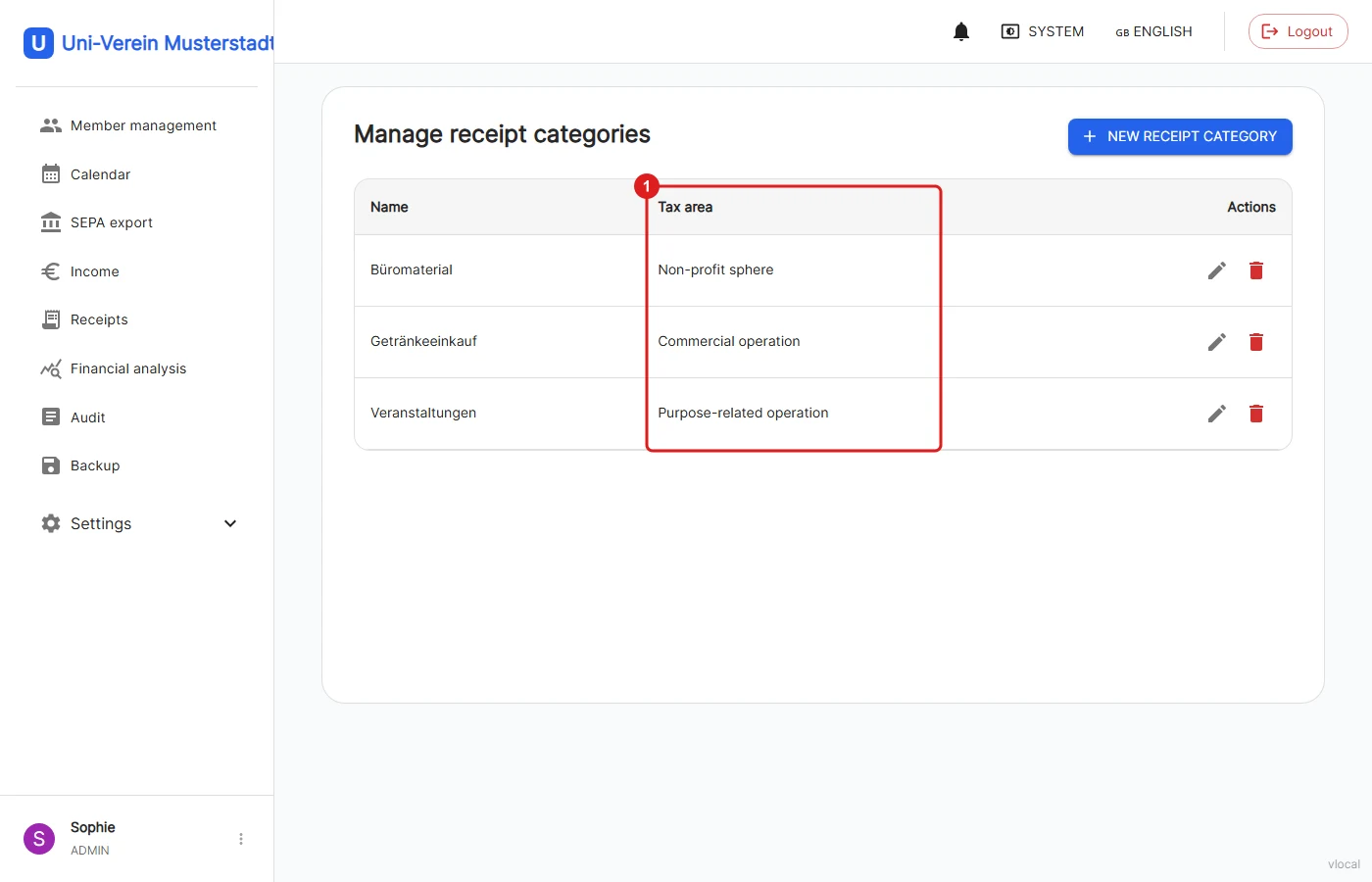
1: The same applies to the receipt categories under Settings → Manage receipt categories.
❗️Important when updating to version 1.10.0: The migration sets all existing categories to "Non-profit sphere". Assign the areas before you export the first EÜR.
🏦 Enter the tax number
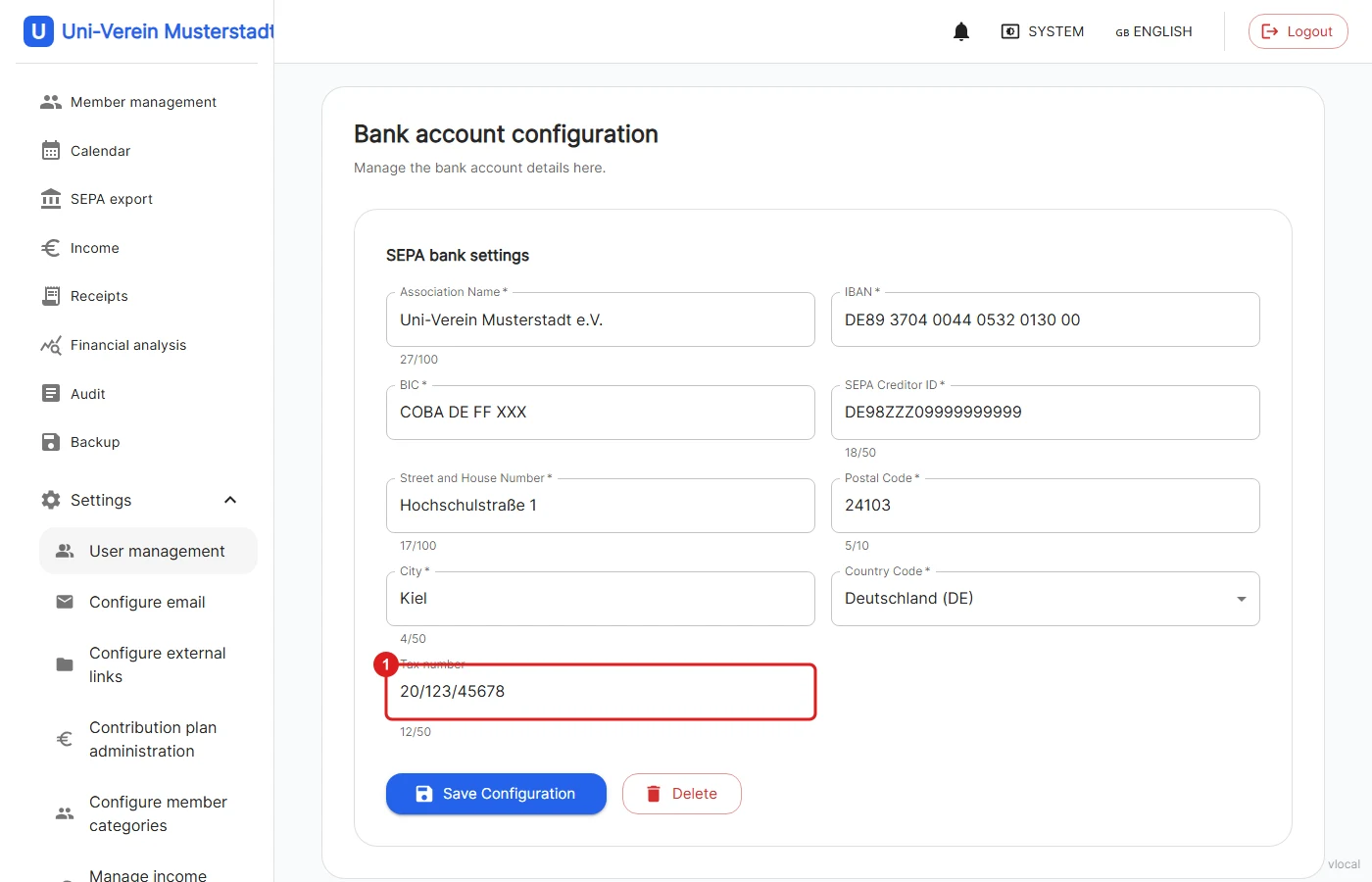
1: Under Settings → Configure bank details there is the optional field "Tax number". It appears in the header of the EÜR and in the "Stammdaten" sheet.
📊 Structure of the Excel file
The file contains five sheets:
| Sheet | Content |
|---|---|
| EÜR | Income and expenses separated by the four areas with totals, result and share per category, the overall overview, the tax checks, the cash/bank reconciliation and the signature lines |
| Stammdaten | Club name, financial year, tax number, treasurer, opening balances and all categories with area and type |
| Journal | The cash book: every paid income and expense with booking number, payment date, booking text, category, area, account (bank/cash) and gross amount |
| Beitragsnachweis | The individual fees behind the collective "Beitragseinzug" lines in the journal, with member number |
| Hinweise | Explanation of how the file is structured |
Cash-basis principle:
The payment date counts (§ 11 EStG), not the receipt or due date. Membership fees are combined into one line per payment date. The booking numbers (E-YYYY-NNNN for income, A-YYYY-NNNN for expenses) come from booking the payment.
Tax checks:
The EÜR checks three limits, each with the values of the exported year:
| Check | up to 2025 | from 2026 |
|---|---|---|
| Income of the commercial operation (exemption limit) | €45,000 | €50,000 |
| Income purpose-related + commercial operation | €45,000 | €50,000 |
| Total income (timely use of funds only from) | €45,000 | €100,000 |
The status of each check is shown in green or red. The values from 2026 are based on the Steueränderungsgesetz 2025 (German tax amendment act).
To be filled in by hand:
Cells with a yellow background are empty. The opening balances on 1 January (bank and cash) and the cash/bank reconciliation are not kept by Uni-Verein, they can be added in the file. All numbers are calculated values, not formulas.
❗️The file is generated automatically from the data of the club management and is not tax advice. Value-added tax (small business scheme) is not covered.
🔐 Permissions
| Feature | User | Finance Manager | Admin |
|---|---|---|---|
| View financial analysis | ❌ | ✅ | ✅ |
| Export the EÜR | ❌ | ✅ | ✅ |
| Change tax areas of categories | ❌ | ✅ | ✅ |