🌍 Subscribing to the Calendar & Public Calendar
📲 Personal Calendar Feed
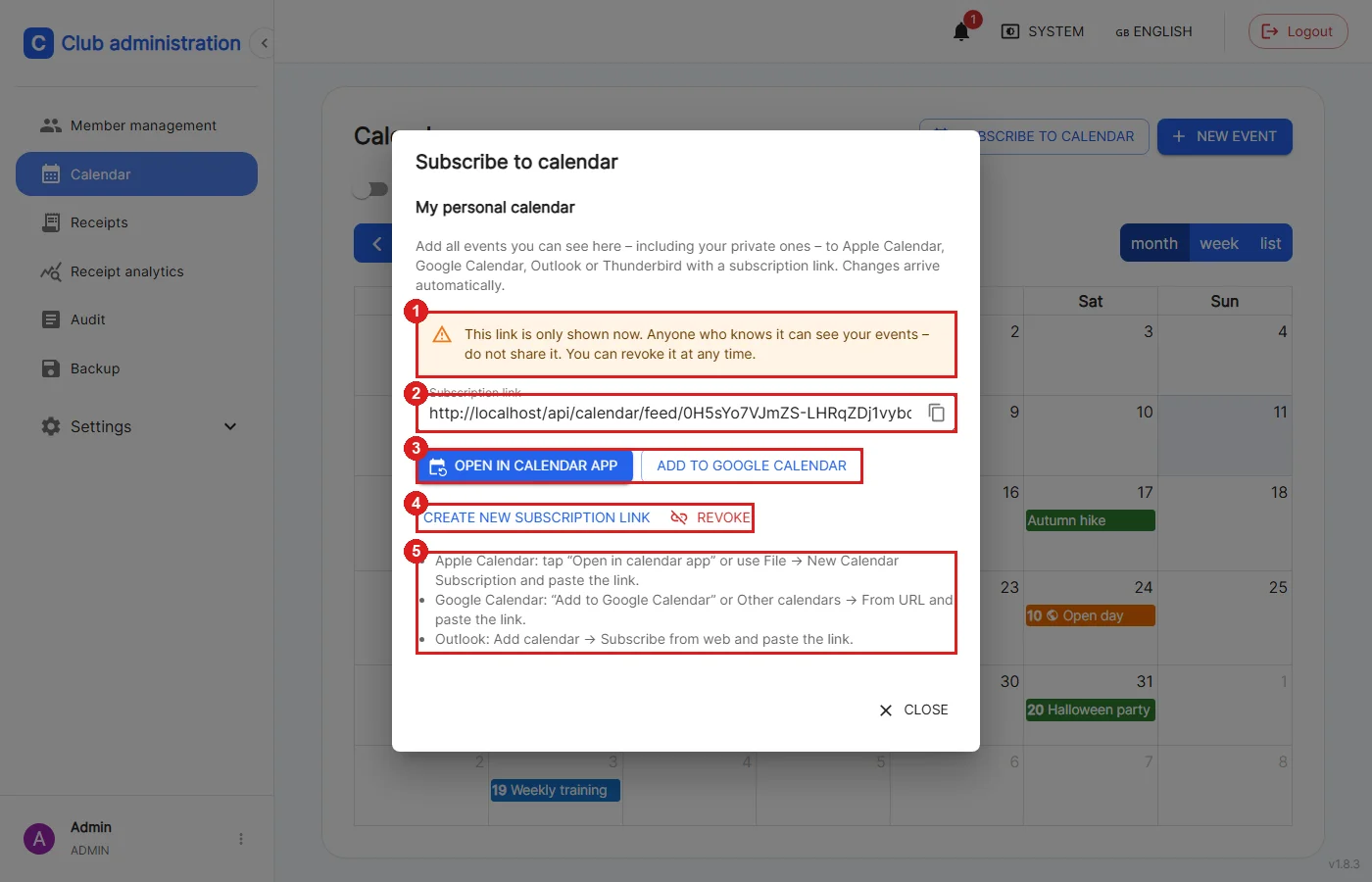
Calendar → "Subscribe to calendar"
All events you may see yourself (including private ones) can be added to Apple Calendar, Google Calendar, Outlook or Thunderbird with a subscription link. Changes arrive automatically afterwards. The subscription contains events from about 6 months in the past up to 2 years in the future. Every role can use this subscription.
1: The link is only shown right after it is created and cannot be viewed again later. Anyone who knows it can see all your events, so do not share it.
2: The subscription link; the icon on the right copies it.
3: "Open in calendar app" opens the calendar app directly (Apple Calendar, Outlook), "Add to Google Calendar" adds the subscription to Google Calendar.
4: "Create new subscription link" creates a new link; the previous link stops working and must be replaced in the calendar apps. "Revoke" revokes the link, after which the calendar apps no longer receive events.
5: Short instructions for the common calendar apps. If a link is already active, this also shows since when it exists and when it was last fetched.
🎨 Managing Categories
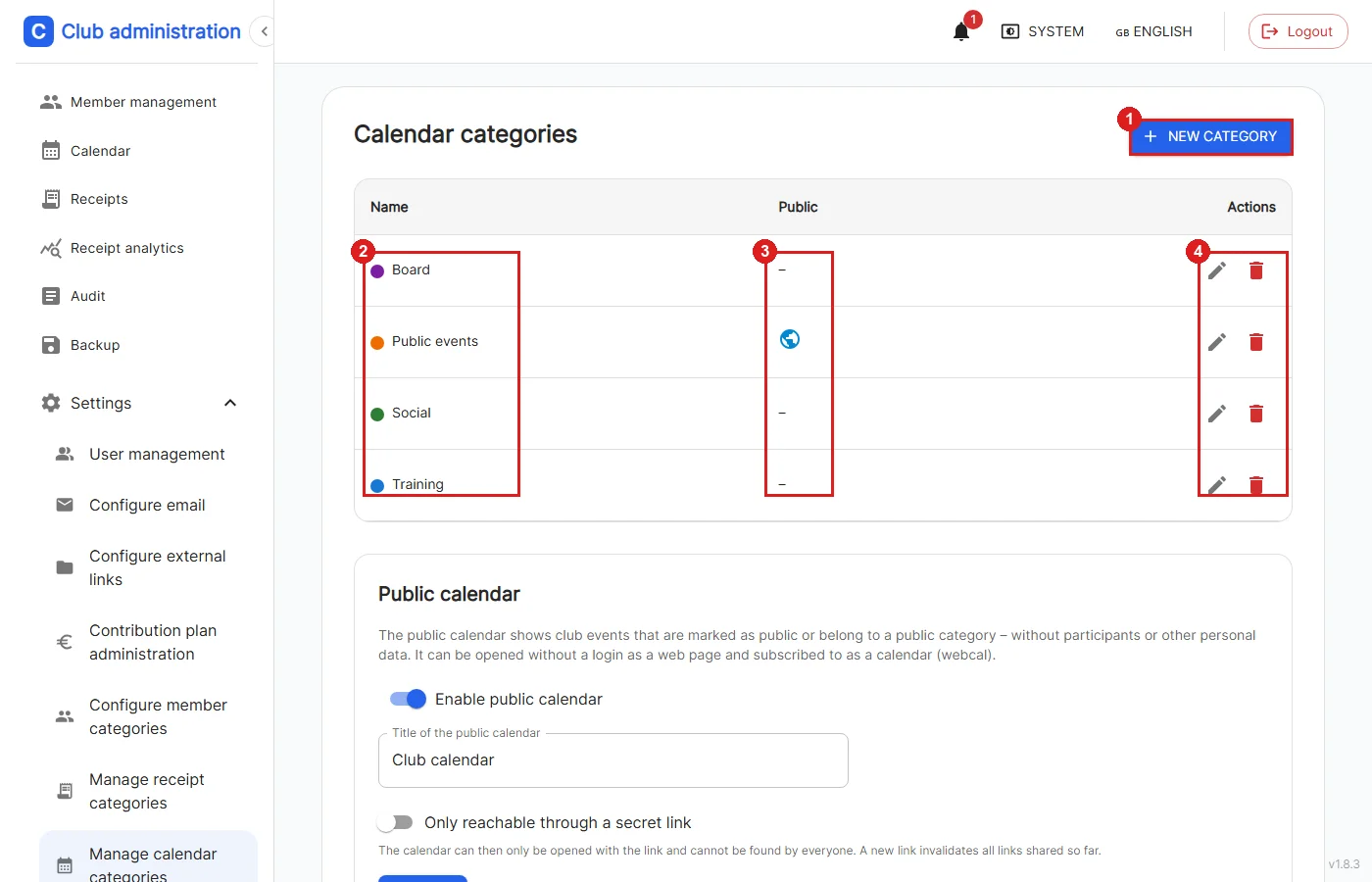
Settings → Manage calendar categories (admin only)
1: Creates a new category.
2: Name and color of the category, as they also appear as chip and event color in the calendar.
3: The globe shows that the category is public.
4: Categories can be edited with the pencil and deleted with the trash can. The events of a deleted category are kept.
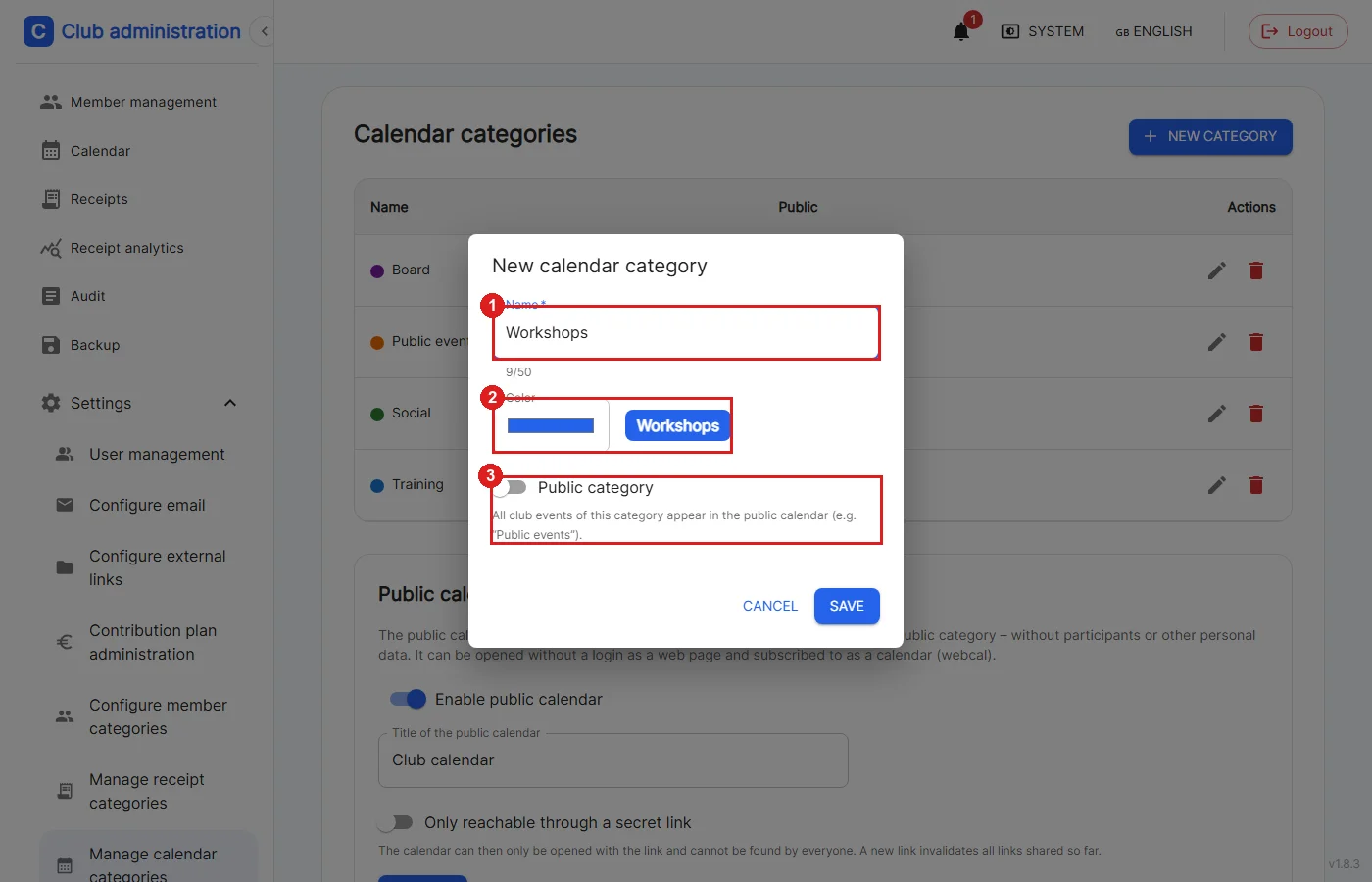
1: The name must be unique and at most 50 characters long.
2: The color is shown with a preview.
3: For a public category, all club events of this category appear in the public calendar automatically, e.g. for a category "Public events".
🌍 Public Calendar
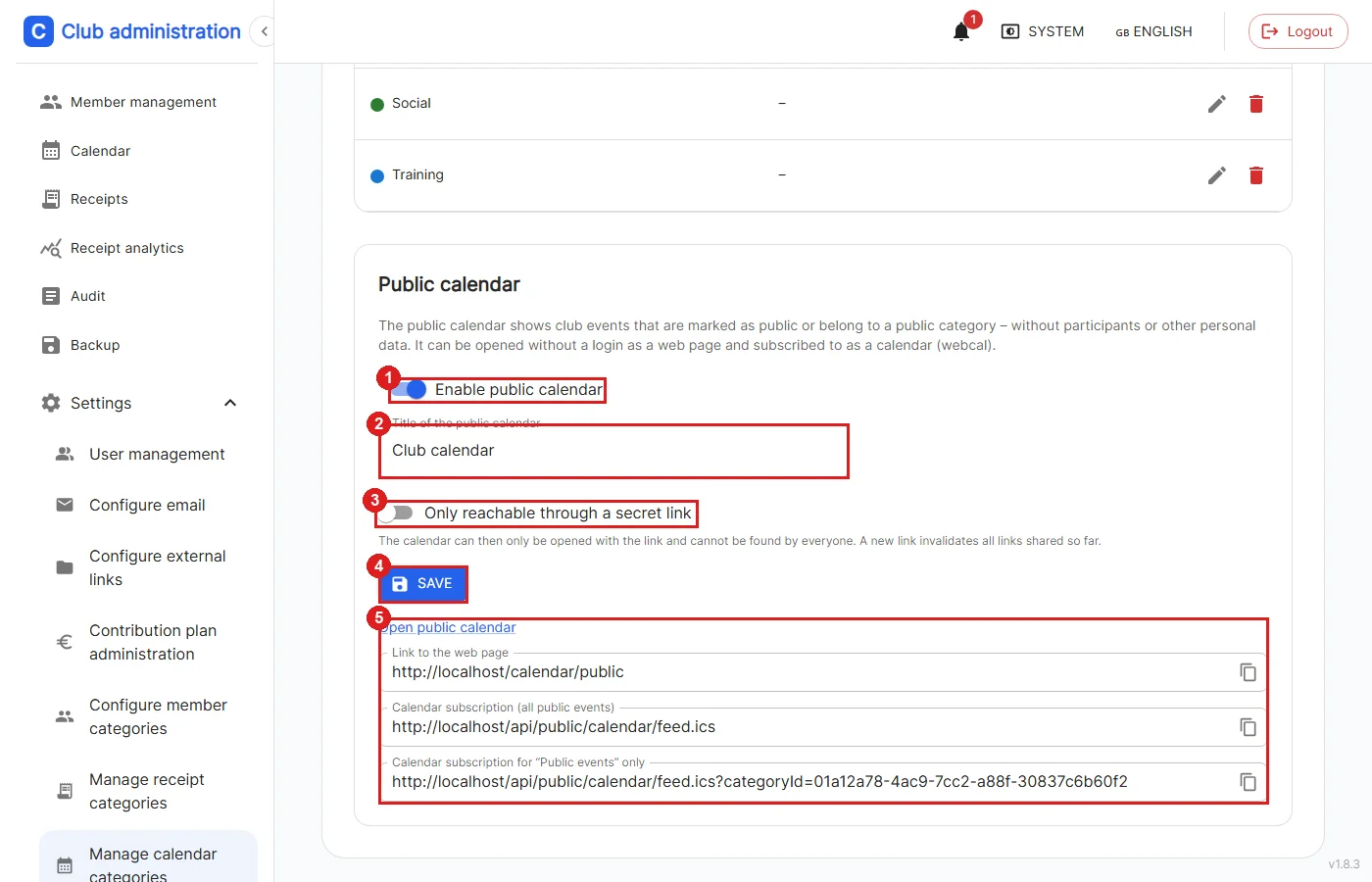
Settings → Manage calendar categories → "Public calendar" section (admin only)
The public calendar shows selected events without login, as a web page and as a calendar subscription. Participants or other personal data are never shown. Events only appear there if they are visible to the whole club and are either marked as public individually or belong to a public category.
1: Turns the public calendar on or off. While it is off, the option "Show in public calendar" is not available in the event form either.
2: The title shown at the top of the public page.
3: Optionally the calendar is only reachable through a secret link and is therefore not discoverable by everyone.
4: Saves the settings.
5: The link to the web page as well as the subscription links for all public events and one for each public category. These links can be copied and shared, e.g. on the club website.
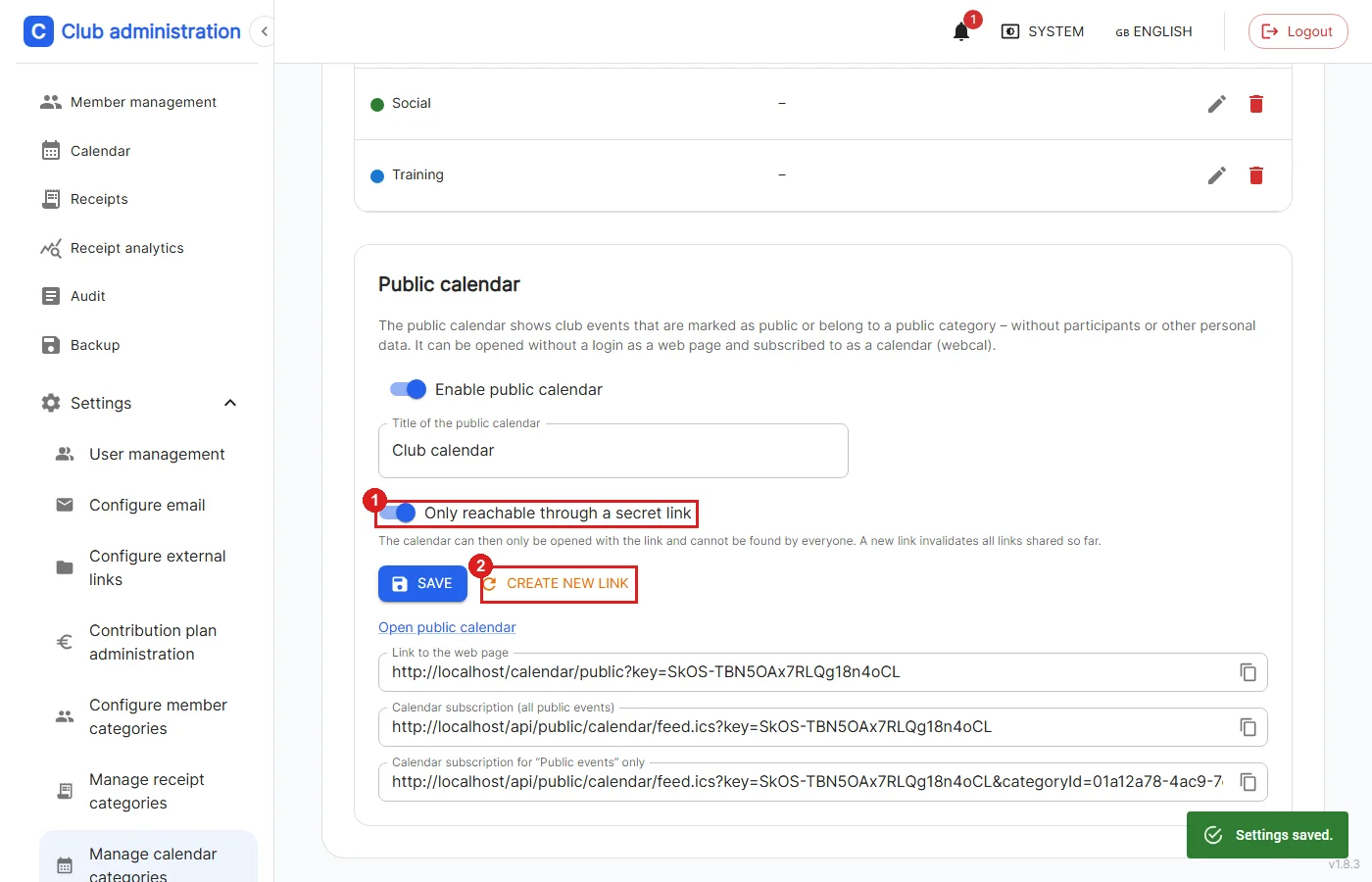
1: If "Only reachable through a secret link" is active, all links contain a secret key.
2: "Create new link" creates a new key. All links and subscriptions shared so far stop working afterwards.
🌐 Public Page Without Login
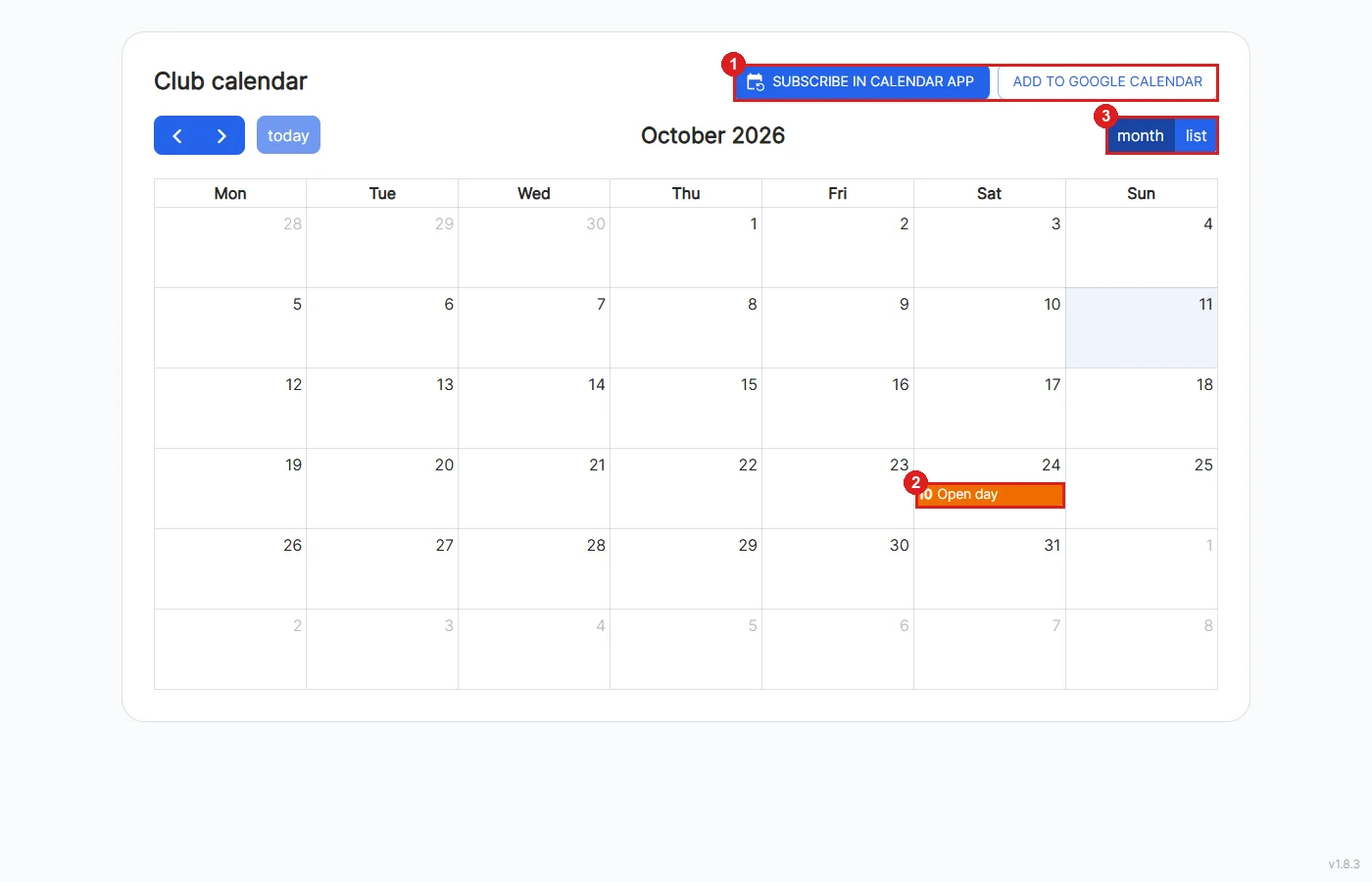
The public calendar is available at /calendar/public without having to log in.
1: Visitors can subscribe to the calendar in their calendar app or in Google Calendar.
2: Only public events are shown.
3: The page offers a month and a list view.
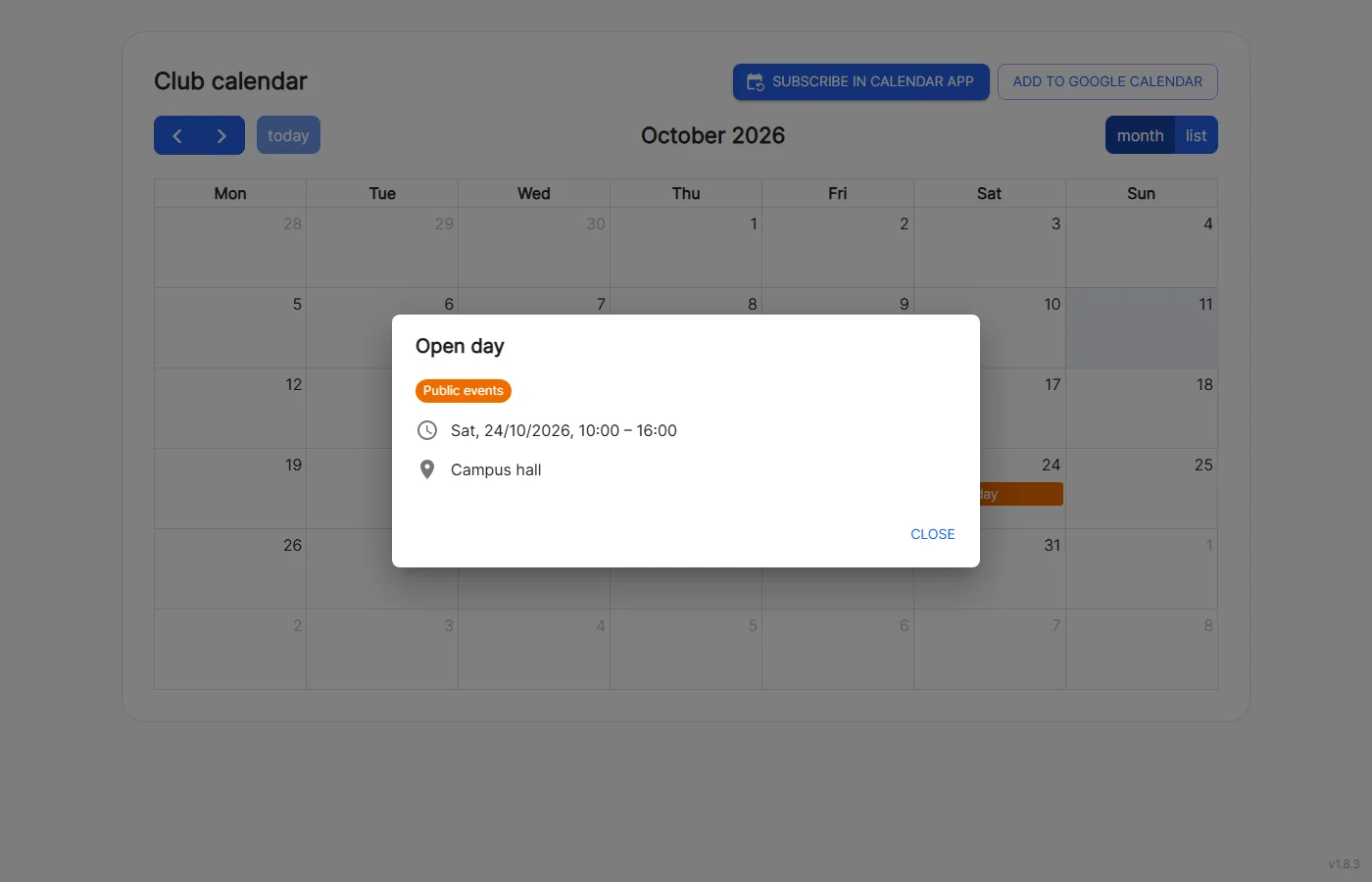
Clicking an event shows title, category, time, location (with address and link) and the description. Participants, replies and other internal details are not shown. So do not put anything in the description of a public event that is not meant for outsiders.
If the public calendar is turned off or the secret key is wrong, the page shows that the calendar is not available instead.