📧 Broadcast Mail
✏️ Editor
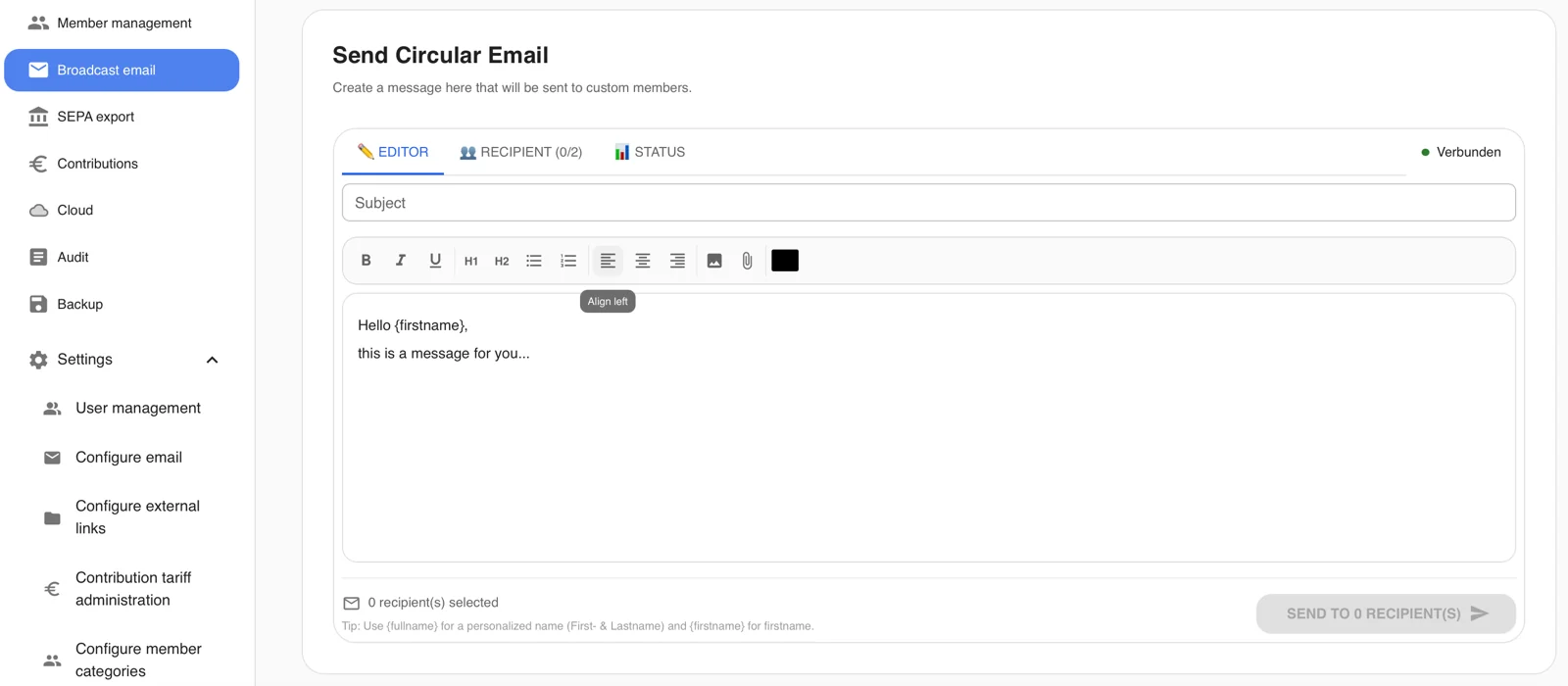
Here you can compose the desired email.
Using fullname in curly brackets will insert the first and last name of the member.
If only the first name is needed, firstname in curly brackets can be used instead.
Attachments are also supported and can be added via the paperclip icon.
👥 Recipients
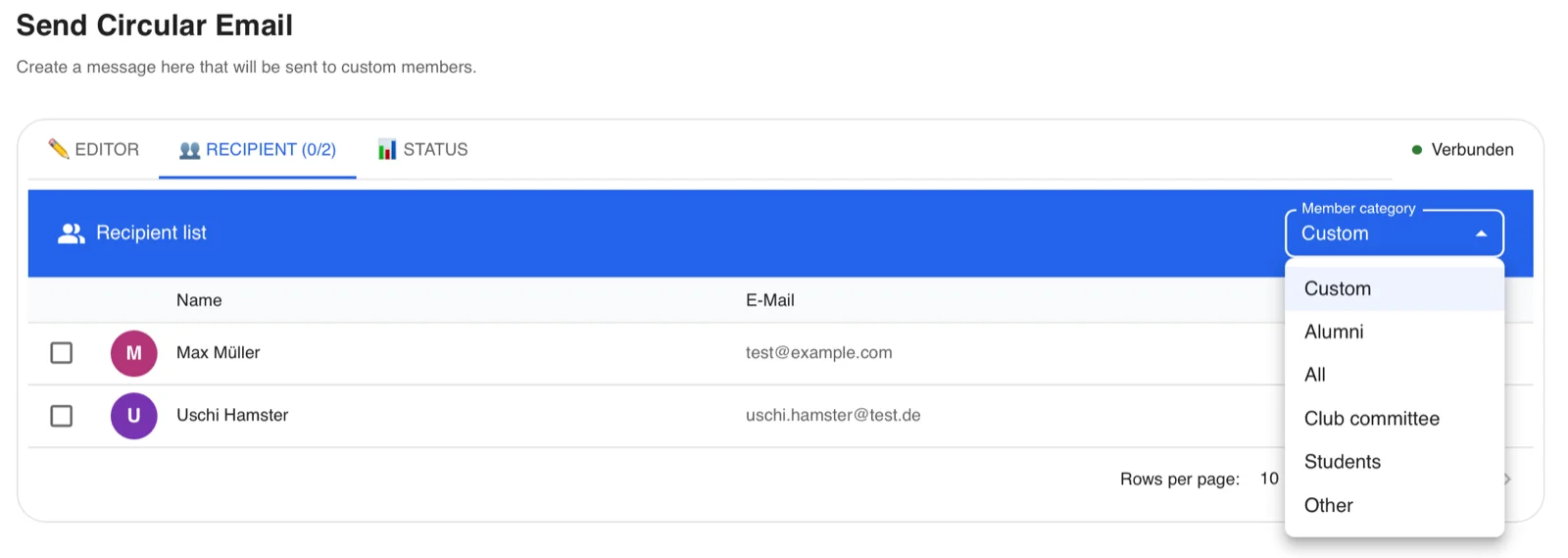
In the second window, the recipients are selected.
Members can either be selected individually (Custom) or membership categories can be selected collectively.
📊 Status
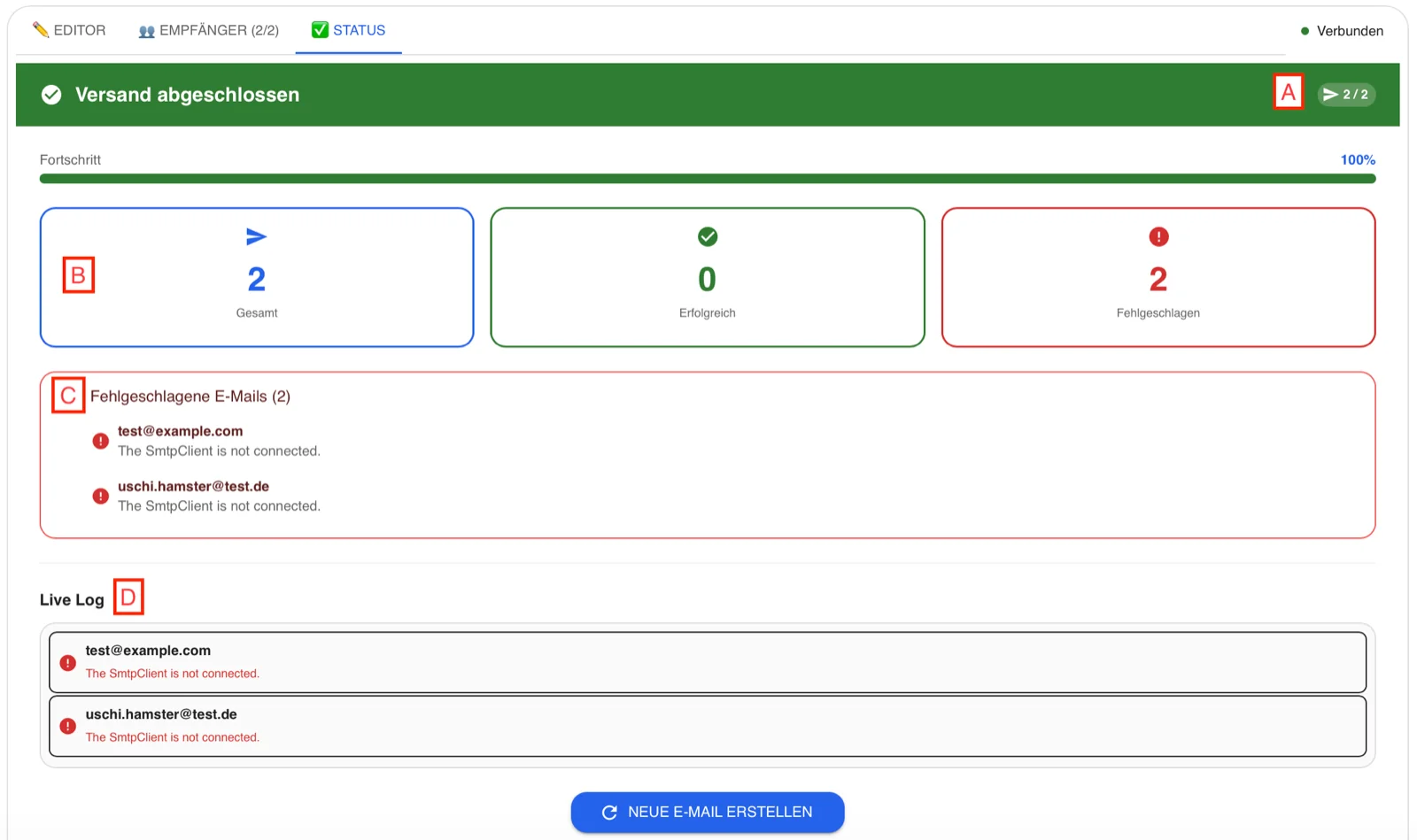
Once Send has been clicked, the status window will appear.
A: Displays how many emails have already been sent
B: Shows an overview of how many emails were sent successfully and how many encountered issues
C: Error window for emails that had a problem (in the screenshot, the sender email was not correctly configured for privacy reasons)
D: Displays the status for each email address used