🏦 SEPA Export and Contribution Management
🏦 SEPA Export
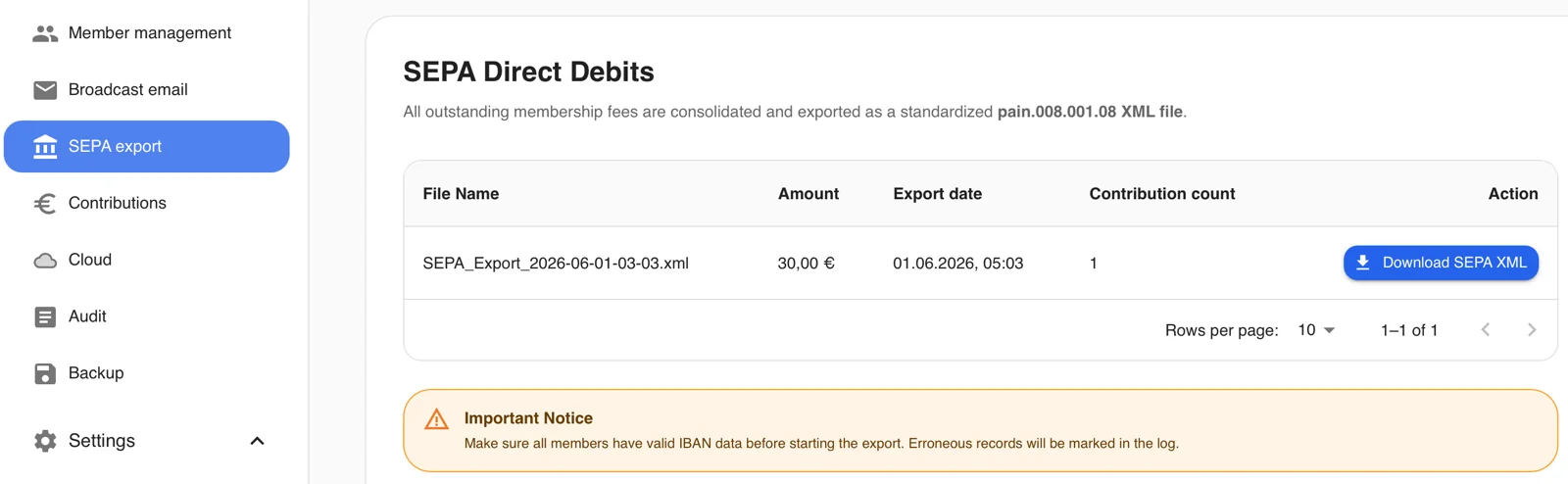
The SEPA export is generated automatically and draws on the stored contribution rates.
For monthly rates, the export is created on the 1st of the respective month.
For annual rates, it is created on January 1st of the respective year.
The export then contains all members whose contribution is due.
It can be downloaded and imported directly into your online banking software.
💰 Contribution Management
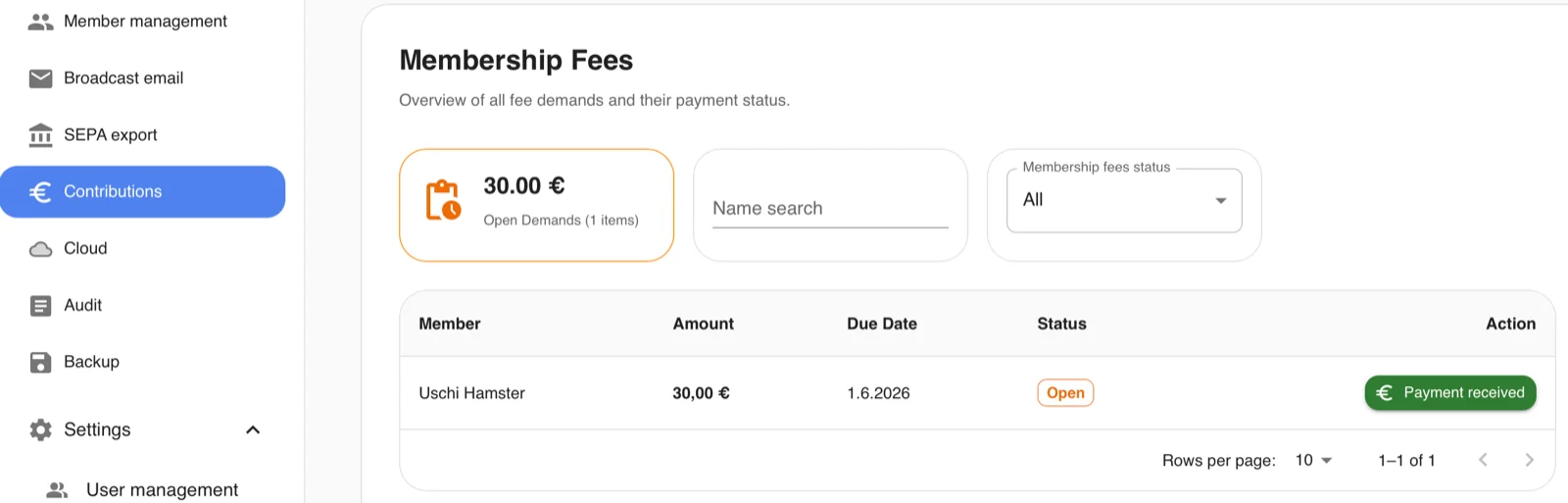
Once the SEPA export has been generated, the due contributions also appear in the contribution management section.
Under "Open Receivables", all outstanding contributions are totalled.
It is also possible to search for specific members and to filter by open and completed contributions.
Contributions can be marked as paid with a single click on "Payment received"; clicking the "Payment pending" button again will undo the status change.
Once contributions are marked as paid, they remain visible in the overview for 2 weeks and are then deleted automatically.